
When I audit a Google Ads account, I rarely start with bids or budgets. I start with relevance: do the keywords, ads, and landing pages all tell the same story? Google Ads Quality Score is the quickest way to see where that story breaks down.
In this guide, I explain what Quality Score is, what it is not, how to check it, and the 10 steps I use to improve the quality signals behind it.
What Is Google Ads Quality Score?
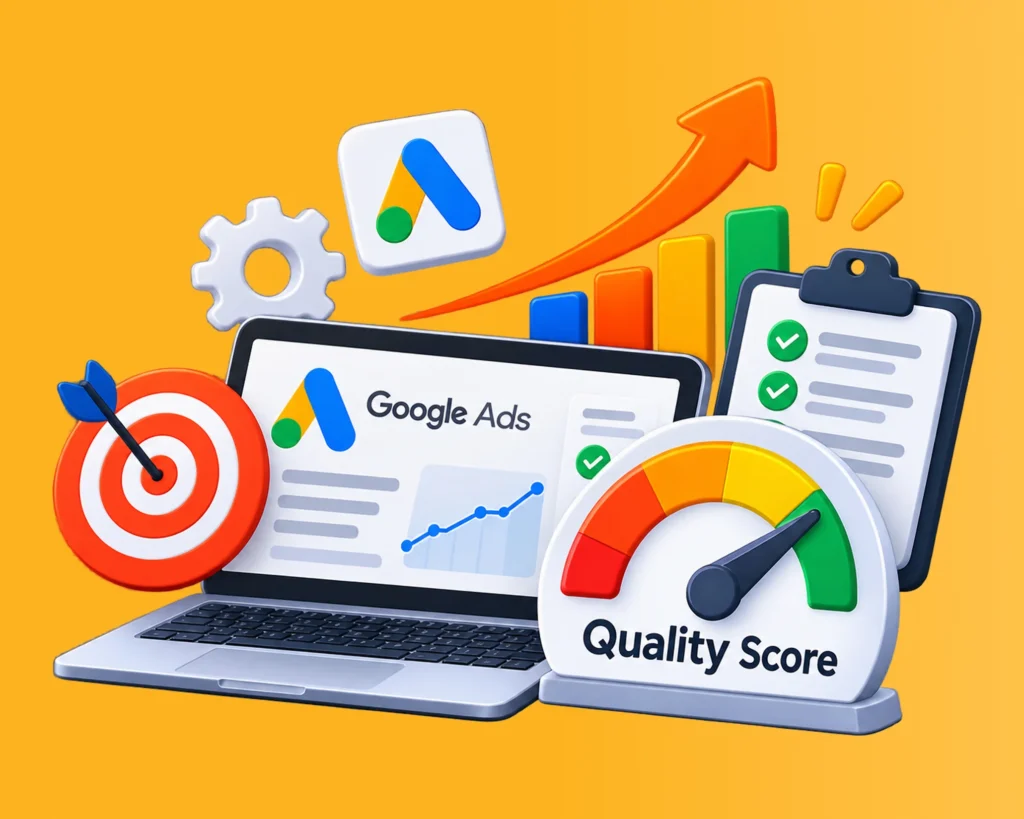
Google Ads Quality Score is a 1-to-10 diagnostic rating that Google reports for eligible Search keywords. It summarizes three things: expected click-through rate (CTR), ad relevance, and landing page experience.
Two points matter before anything else:
- Quality Score is a diagnostic tool, not a direct input in the live ad auction.
- Google determines ad position using Ad Rank, which combines auction-time quality signals with your bid and other factors. Improving the three components of Quality Score can improve Ad Rank and efficiency, but a higher score does not guarantee a lower CPC or a top position.
Key Takeaways
- Review Quality Score at the keyword level, not as an account average.
- Each of the three components has a status of below average, Average, or above average. Fix the weakest one first.
- Tight ad groups, specific ad copy, and dedicated landing pages do most of the work.
- Raising bids does not improve Quality Score.
- Profitable conversions matter more than a perfect 10.
Why Google Ads Quality Score Matters
Quality Score is useful because it turns a vague problem (“my ads are not performing”) into a specific one (“my expected CTR is below average”). That makes optimization more structured.
- It exposes relevance gaps. Someone searching for “affordable website development services” should see an ad about website development, not a generic digital marketing ad.
- It points to landing page problems. If you get clicks but few conversions, the landing page experience rating can show whether the page matches what the ad promised.
- It supports cost efficiency. Ad quality is one of several factors Google considers when setting Ad Rank and the CPC you pay in an auction. Better quality signals can help you compete more efficiently, but the effect varies from auction to auction.
- It replaces guesswork. You can see whether the issue sits in the keyword, the ad, or the page before you change anything.
How Does Google Ads Quality Score Work?
Google Ads Quality Score evaluates how relevant and useful your Search ads are to people searching for your products or services.
In simple terms, Google wants to understand three things:
- Are people likely to click your advertisement?
- Does your advertisement match what they are searching for?
- Does your landing page provide the information they expect?
Google uses these three factors to generate a diagnostic Quality Score between 1 and 10 for eligible Search keywords.
However, there is an important distinction: Quality Score itself is not directly used in Google’s real-time ad auction. Google evaluates similar quality signals during every auction to determine Ad Rank.
Let’s understand the complete process with an example.
1. The three factors Google evaluates
Expected CTR
How likely are users to click your advertisement?
Google evaluates expected click-through performance.
Ad Relevance
How closely does your advertisement match the user’s search?
Google evaluates the relationship among the search, the keyword, and the ad.
Landing Page Experience
How useful and relevant is your landing page?
Google evaluates the experience after someone clicks your advertisement.
Each factor receives one of three ratings:
- Above average
- Average
- Below average
These ratings help Google Ads advertisers identify optimization opportunities.
2. How Google calculates the Quality Score
Google looks at historical performance for searches that exactly match your keyword and compares your ad experience with other advertisers competing for those same searches over the previous 90 days.
For example, imagine you’re running a campaign targeting:
Keyword: Google Ads Management Services
Google evaluates the following:
| Evaluation | What Google examines |
| Expected CTR | How likely are users to click your ad |
| Ad Relevance | Whether your ad matches the search intent |
| Landing Page | Whether your page provides relevant and useful information |
Each component gets a rating of Above Average, Average, or Below Average.
Google combines the performance of these components to produce the 1–10 diagnostic score. It does not publish a simple formula or fixed percentage weighting that advertisers can use to calculate the score themselves.
3. Example: How a keyword might receive a Quality Score
Suppose your Google Ads account has the following keyword:
Google Ads Management Services
8/10
Expected CTR
Above average
Ad Relevance
Above average
Landing Page Experience
Average
What I would optimize:
The landing page experience is the weakest component. I would review the page’s relevance, content, navigation, mobile usability, and loading performance.
Note: This is a hypothetical example, not Google’s actual scoring formula.
4. How Quality Score relates to Ad Rank
This is probably the most important concept to understand.
Many advertisers believe that Google takes their Quality Score (say, 8/10), combines it with their bid, and calculates their ad position.
That’s not how the system works.
Google calculates Ad Rank separately for every auction.
Google Ads Auction
Your bid
Real-time ad quality
Expected CTR, ad relevance, landing page experience, and other signals
Competition, search context, Ad Rank thresholds, and expected asset impact
Ad Rank
Determines eligibility and relative ad placement
Ad placement and actual CPC were determined
Google considers multiple factors, including bid, auction-time ad quality, competition, search context, Ad Rank thresholds, and expected impact of assets.
This means an advertiser with a lower bid can sometimes outrank a competitor with a higher bid if their overall Ad Rank is stronger.
5. Does Quality Score update automatically?
Yes. Google updates the diagnostic Quality Score as new performance information becomes available.
A few important points:
- Quality Score is available at the keyword level.
- It is based on historical performance, not just today’s CTR.
- Google uses a 90-day comparison period for its component evaluations.
- New keywords may show a dash (—) if there isn’t sufficient data.
- Changing keyword match types alone does not change the underlying Quality Score calculation.
6. How I would improve a low Quality Score
If I were auditing a Google Ads account at RankON Technologies, I would follow this approach:
| Problem | My recommended action |
| Expected CTR is below average | Rewrite headlines and improve ad messaging |
| Ad relevance is below average | Group related keywords and create relevant ads |
| Landing page experience is below average | Improve page content, relevance, and usability |
| All three are below average | Review the overall campaign structure and user journey |
I would prioritize keywords that have significant advertising spend or business value rather than trying to improve every keyword indiscriminately.
Final takeaway
The easiest way to understand Google Ads Quality Score is:
Google evaluates how well your keywords, advertisements, and landing pages satisfy users’ search intent.
But remember these two distinctions:
- Quality Score (1–10) is a diagnostic metric.
- Real-time ad quality signals contribute to Ad Rank during the auction.
You should use Quality Score to identify weaknesses, not treat it as the ultimate measure of campaign success.
Official Google resources for further reading:
- About Quality Score for Search campaigns
- Using Quality Score to guide optimizations
- How Google determines Ad Rank
The 3 Components of Google Ads Quality Score
| Component | What it measures | Main lever you control |
| Expected CTR | How likely are people to click your ad for a keyword | Headlines, messaging, ad assets |
| Ad relevance | How closely your ad matches the intent behind the search | Ad group structure, keyword-to-ad match |
| Landing page experience | How useful and relevant is your page to people who click | Page content, mobile usability, speed, trust |
1. Expected Click-Through Rate (CTR)
Expected CTR is Google’s estimate of how likely your ad is to be clicked when it appears for a specific keyword. It draws on historical performance and other signals.
To improve it:
- Write headlines that reflect the searcher’s keyword.
- Name a specific service, product, or benefit.
- Use a clear call to action.
- Test several ad variations.
- Add relevant sitelinks, callouts, and structured snippets.
Here is the difference in practice for the keyword “SEO services for small businesses”:
| Generic ad | More relevant ad |
| Grow Your Business Online | SEO Services for Small Businesses |
| Digital Marketing Solutions | Improve Organic Search Visibility |
| Contact Us Today | Get a Custom SEO Strategy |
The goal is not just more clicks. It is clicks from people who actually want what you offer.
2. Ad Relevance
Ad relevance shows how well your ad matches what the person searched for. Poor campaign structure is the most common cause of a low rating.
Imagine an agency that puts “SEO services,” “PPC management,” “social media marketing,” and “website development” into one ad group with one generic ad. No single ad can match all four intents. The fix is to group keywords by theme:
| Ad group | Target keywords |
| SEO services | SEO company, SEO services, SEO agency |
| PPC services | PPC management, PPC agency, Google Ads management |
| Website development | website development company, web development services |
Then write ads and choose landing pages that match each group.
3. Landing Page Experience
The ad experience does not end at the click. Landing page experience evaluates whether your page is useful and relevant to the person who arrives. If your ad promotes Google Ads management, visitors should land on a page about Google Ads management, not a general homepage.
When I review a landing page, I check:
- Content relevance: Does it cover the advertised keyword?
- Content quality: Is it original, useful, and easy to understand?
- Navigation: Can visitors find key information quickly?
- Mobile experience: does it work well on a phone?
- Loading performance: does it load efficiently?
- Transparency: Is it clear who runs the site and how to contact them?
- Clarity of offer: can visitors understand it and take the next step without friction?
A strong landing page usually has a relevant headline, a clear explanation of the service, key benefits, trust signals, such as testimonials, when you genuinely have them, a visible call to action, and simple contact options.
How to Check Your Google Ads Quality Score?
You can see Quality Score inside your Google Ads account:
- Sign in to your Google Ads account.
- Go to Campaigns, then open Keywords and select Search keywords.
- Click Columns, then Modify Columns.
- Open the Quality Score section.
- Add these columns: Quality Score, Expected CTR, Ad relevance, Landing page experience, and Historical Quality Score where available.
- Click Apply.
You will now see the score and each component for eligible keywords. If a keyword has too few impressions, Google may not show a score for it.
Review this data by keyword. An account-wide average hides the specific keywords that need attention.
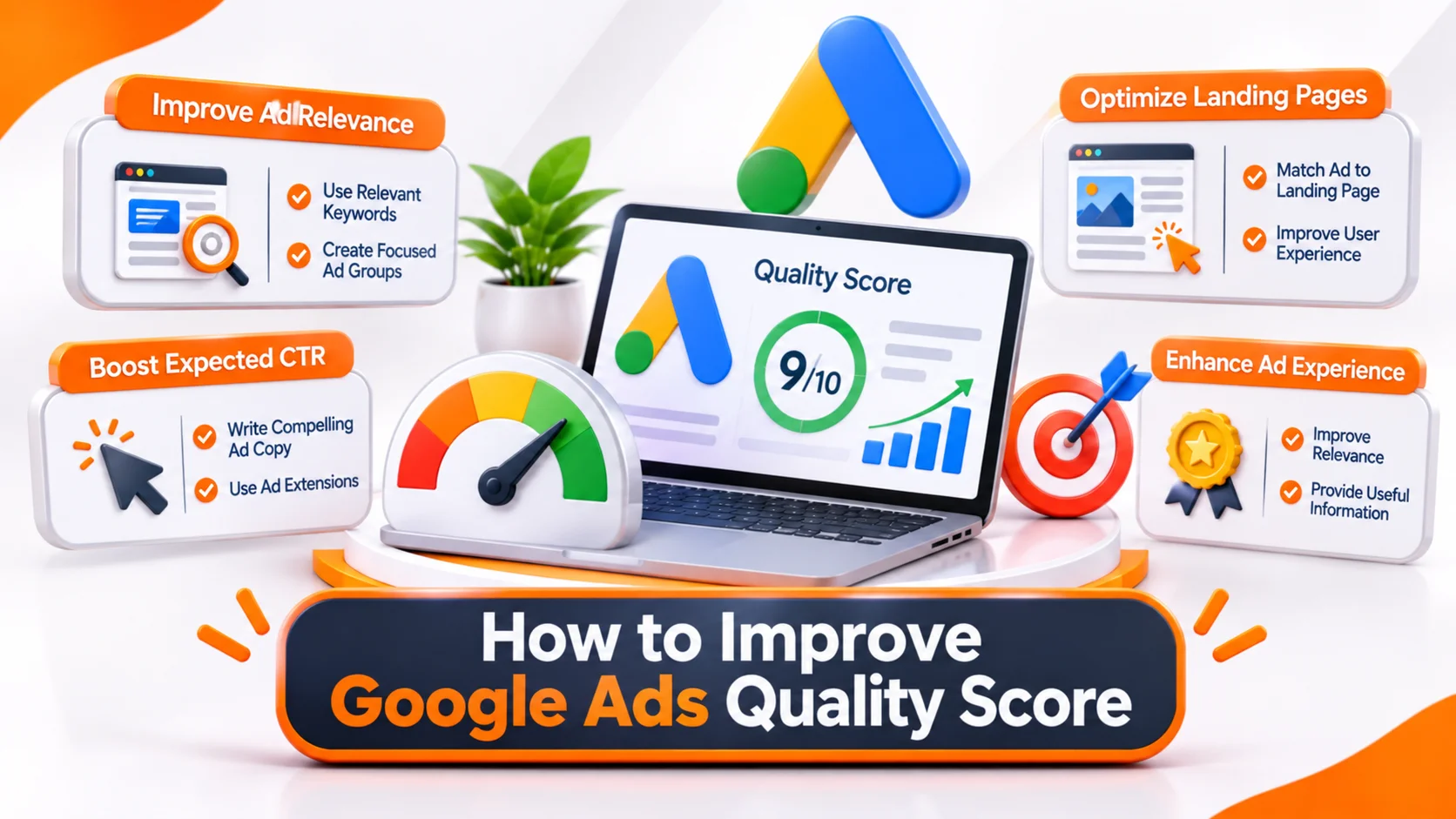
How to Improve Google Ads Quality Score: 10 Practical Strategies?
These are the areas I prioritize when auditing a Google Ads Search campaign.
1. Do Keyword Research Around Intent
Irrelevant keywords undermine even well-written ads. Use Google Keyword Planner, the Search Terms report, and third-party tools, and look at intent as well as volume and CPC.
Someone searching “what is SEO” wants information. Someone searching “hire an SEO agency” is closer to buying. They should not see the same ad or land on the same page.
2. Organize Keywords into Tightly Themed Ad Groups
Group keywords by theme and intent so each ad can speak directly to the search. Avoid the opposite extreme too: dozens of ad groups for minor keyword variations become hard to manage.
3. Write Relevant, Specific Ad Copy
A searcher should know within a second whether your ad fits their need.
- Include the keyword naturally in headlines.
- State a real benefit or differentiator.
- Use an action-oriented call to action.
- Avoid misleading claims and exaggerated promises.
Example ad for SEO services:
Professional SEO Services | Improve Your Search Visibility
www.example.com/seo-services
Get strategic SEO support to improve your website’s organic visibility. Explore technical SEO, on-page optimization, and content strategies tailored to your business. Request an SEO Consultation.
4. Match Landing Page Content to the Ad
If the ad promises website development, the page should explain your capabilities, process, technologies, and solutions. Check that the headline matches the ad, the service is explained clearly, common customer questions are answered, and the call to action is visible.
5. Improve Page Speed
Slow pages frustrate visitors, especially on mobile. Practical fixes include:
- Compressing images and using formats such as WebP.
- Reducing unnecessary JavaScript and third-party scripts.
- Enabling browser caching.
- Using reliable hosting and a CDN where appropriate.
Google’s PageSpeed Insights can show what to fix. Speed alone will not lift your rating, so treat it as one part of a wider landing page improvement.
6. Optimize for Mobile
A large share of search traffic comes from phones. Check that your page is responsive, text is readable without zooming, buttons are easy to tap, forms are short,t and pop-ups do not get in the way. Test the full journey on a real device, especially for lead-generation campaigns.
7. Use Negative Keywords Strategically
Negative keywords stop ads from showing for irrelevant searches. If you sell paid SEO services, you might exclude “free SEO course,” “SEO jobs,” “SEO salary,” and “SEO internship.” Review the Search Terms report regularly.
Negative keywords are primarily targeting and budget-control tools. They improve traffic quality and reduce wasted spend, but they do not directly raise Quality Score.
8. Add Relevant Ad Assets
Assets give searchers extra information alongside your ad.
| Asset | Purpose |
| Sitelinks | Send users to specific pages |
| Callouts | Highlight business benefits |
| Structured snippets | Show service or product categories |
| Call assets | Let users phone you directly |
| Image assets | Add a visual element |
| Location assets | Show your business location |
Assets can make ads more useful and may support CTR, but they are not a direct Quality Score component.
9. Test and Refine Continuously
Your first ad is rarely your best. Test headlines, descriptions, calls to action, value propositions, and landing page messaging. For example, compare “Affordable SEO Services” with “SEO Services for Growing Businesses”. Judge results on CTR, conversion rate, conversion volume, and cost per conversion, and give each test enough time and traffic before deciding.
10. Monitor Each Component, Not Just the Total
Use the component statuses to decide what to fix first:
| Component | Status | Recommended action |
| Expected CTR | Below average | Improve ad messaging and test new headlines |
| Ad relevance | Average | Refine keyword and ad group alignment |
| Landing page experience | Below average | Improve page relevance, usability, and content |
What Is a Good Google Ads Quality Score?
There is no official benchmark. Many advertisers use these ranges as a practical reference only:
| Quality Score | Practical interpretation |
| 1 to 3 | Low. Investigate major relevance issues |
| 4 to 5 | Below the commonly targeted range |
| 6 to 7 | Reasonable, with room to improve |
| 8 to 10 | Strong diagnostic score |
I would not chase a perfect 10 on every keyword. A keyword with a score of 7 that brings profitable leads is worth more than a 10 that brings clicks and no inquiries. Judge success by business outcomes.
Google Ads Quality Score vs Ad Rank
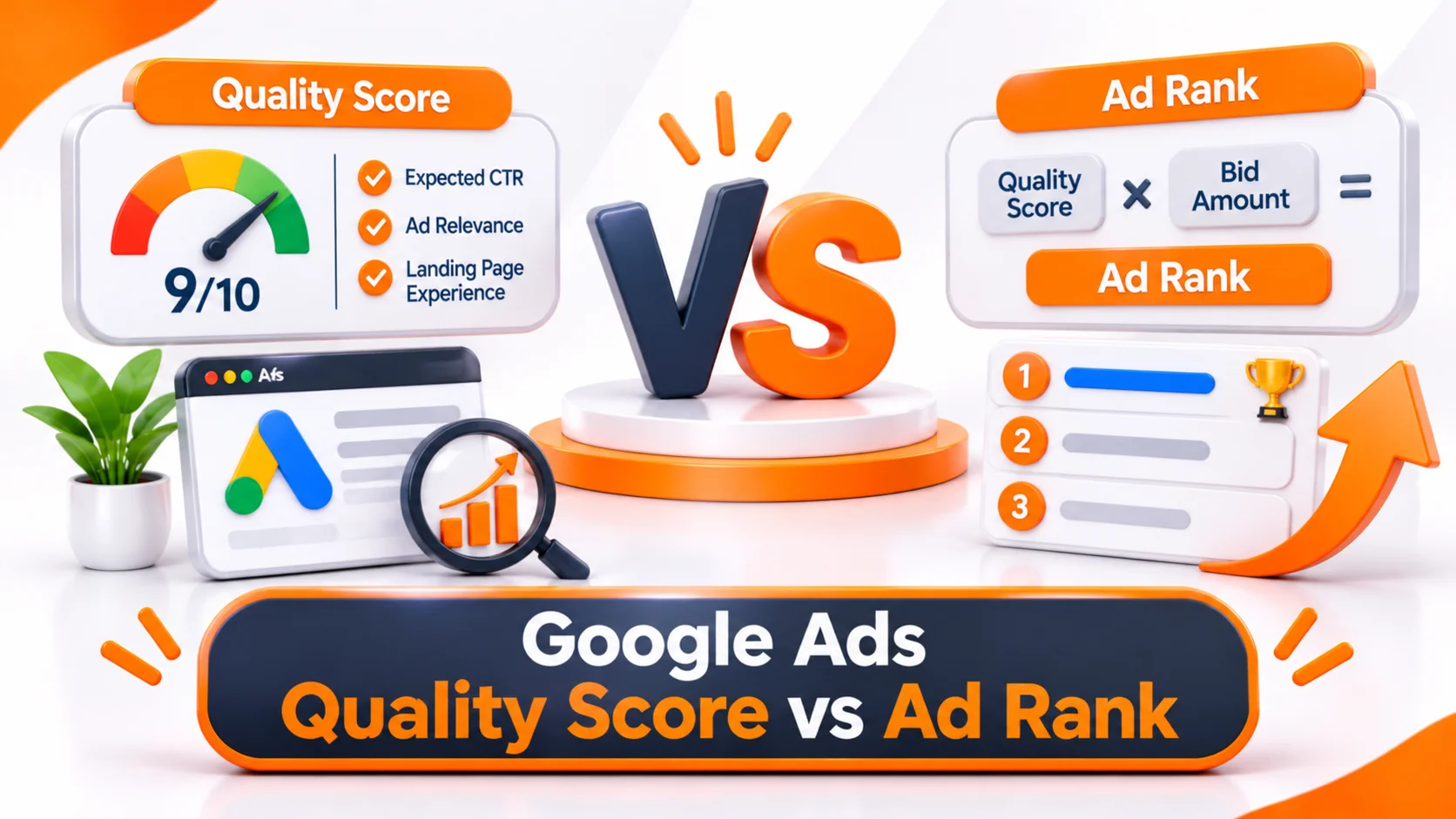
The two are related but different.
| Quality Score | Ad Rank | |
| Purpose | Diagnostic keyword rating | Determines whether and where your ad appears |
| Scale | 1 to 10 | No public scale |
| Based on | Expected CTR, ad relevance, landing page experience | Auction-time factors |
| Used directly in the auction | No | Yes |
| Updates | Reported as a keyword-level diagnostic | Evaluated in every auction |
Ad Rank considers your bid, auction-time ad quality, competition, the search context, and the expected impact of assets and other ad formats. That is why a high Quality Score does not guarantee the top position, and why an advertiser with a lower visible score can still win a particular auction.
Common Quality Score Mistakes to Avoid
- Relying on higher bids. Bids do not change Quality Score. They cannot fix irrelevant ads or weak landing pages.
- Using one ad for every keyword. Different keywords reflect different needs.
- Sending all traffic to the homepage. Use dedicated pages when they give a more relevant experience.
- Ignoring mobile. A page that works on desktop can still fail on a phone.
- Optimizing for the score instead of conversions. Also track conversion rate, cost per conversion, ROAS, lead quality, revenue, and customer acquisition cost.
Check some of the common Google Ads Mistakes
How Often Should You Check Quality Score?
Scores can fluctuate as Google receives new performance data, so look for patterns, not daily movement. A schedule I recommend:
| Frequency | What to review |
| Weekly | Keyword performance, CTR, and search terms |
| Every 2 weeks | Quality Score components and ad relevance |
| Monthly | Landing page experience and conversion performance |
| Quarterly | Campaign structure, keyword strategy, and overall account performance |
Does Google use my Google Analytics data to determine my quality score?
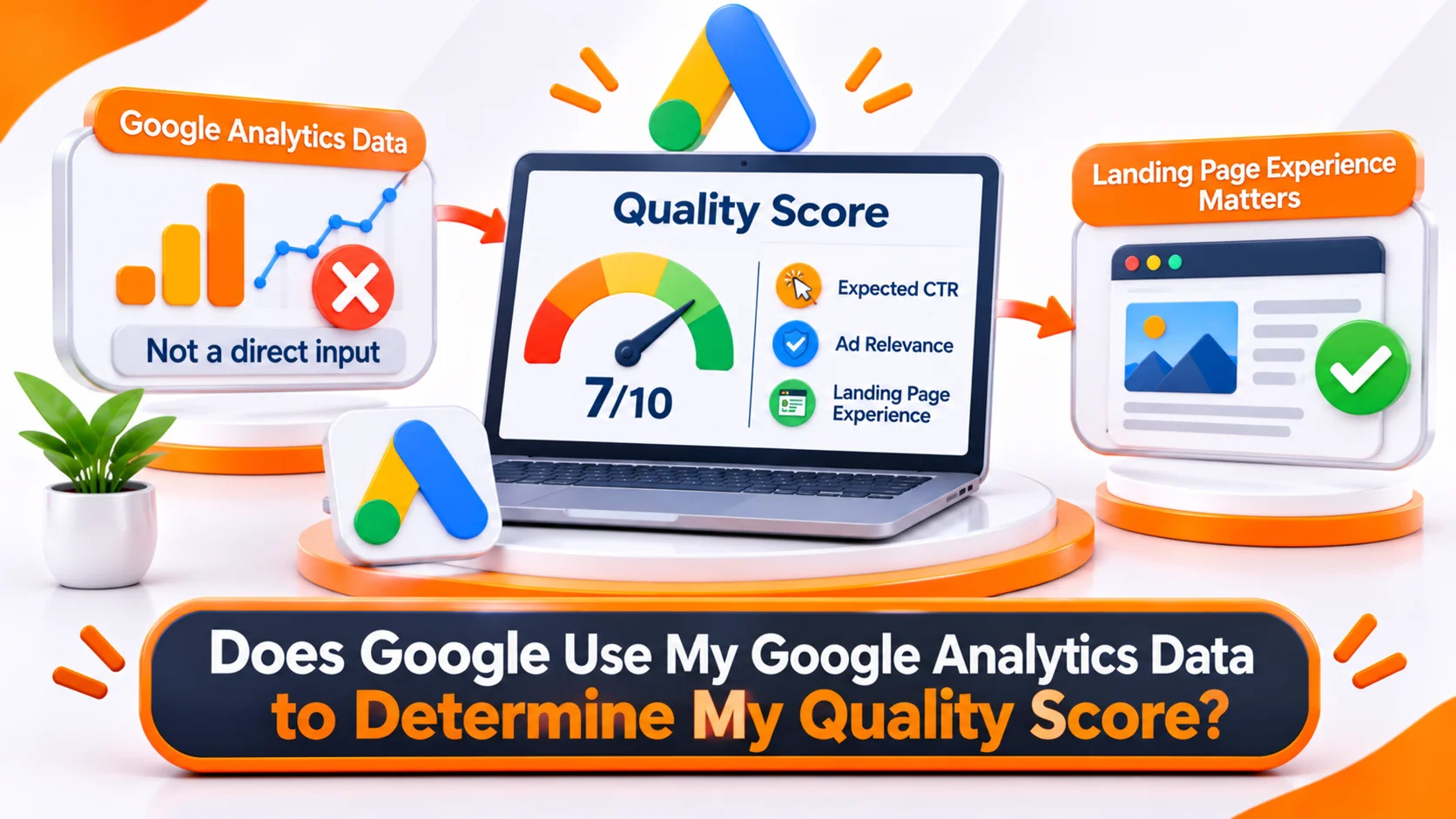
No. Google does not use your Google Analytics (GA4) engagement metrics directly to calculate Google Ads Quality Score.
Google officially identifies three components used to calculate Search Quality Score:
- Expected CTR: How likely people are to click your ad.
- Ad Relevance: How closely your ad matches the searcher’s intent.
- Landing Page Experience: How relevant and useful your landing page is to visitors.
Google does not list GA4 metrics such as bounce rate, engagement rate, average engagement time, or conversion rate as direct Quality Score inputs.
What about GA4 engagement data?
Although GA4 data doesn’t directly determine Quality Score, it is useful for diagnosing landing page problems.
For example:
| GA4 observation | What you should investigate |
| High engagement rate | Visitors may find the page useful |
| High bounce/low engagement | Check search intent and landing page relevance |
| Low average engagement time | Review content quality and page experience |
| High conversion rate | The page may be meeting business goals |
These are diagnostic clues, not Google’s direct scoring rules.
An important distinction
Google can use information from its crawlers to assess ad quality. Therefore, your landing page’s content, relevance, and usefulness matter. But that doesn’t mean Google is taking your GA4 engagement reports and feeding them into the Quality Score calculation.
My recommendation: Don’t try to improve Quality Score by manipulating GA4 bounce rate or engagement time. Instead, make sure your keyword, ad copy, and landing page align in intent and deliver what the searcher expects.
Official references:
In short, GA4 helps you understand user behavior and improve your landing pages. Quality Score evaluates ad relevance, expected CTR, and landing page experience—not your GA4 dashboard metrics.
Conclusion: Aim for Better Advertising, Not Just a Better Score
Quality Score shows how well your keywords, ads, and landing pages work together. Use it to identify weak spots, fix the weakest component first, and measure results in conversions and cost per conversion rather than in the score itself.
At RankON Technologies, we focus PPC management on measurable business outcomes instead of vanity metrics. If your campaigns get clicks but few conversions, or your costs are rising without clear results, a structured campaign audit is a sensible next step.
Request a Google Ads audit from RankON Technologies
Frequently Asked Questions About Google Ads Quality Score
What is a good Google Ads Quality Score?
A Quality Score of 7 or higher is generally considered a good benchmark for non-branded keywords. However, this is a practical industry guideline, not an official Google requirement. Branded keywords may achieve scores of 8–10 because they often have stronger relevance.
More importantly, don’t judge a keyword’s performance by Quality Score alone. A keyword with a score of 5 that generates profitable conversions may be more valuable than one with a score of 10 that generates no business.
Why should I track Quality Score over time?
Tracking Quality Score over time helps you understand how changes to your ads, keywords, and landing pages affect ad quality.
For example, you can monitor whether rewriting ad copy improves expected CTR, whether reorganizing keywords improves ad relevance, or whether updating a landing page improves its experience rating.
Google Ads also provides historical Quality Score columns, allowing you to compare past and current performance.
Can I calculate Quality Score at the ad group or campaign level?
Google Ads provides Quality Score at the individual keyword level, not as an official ad group, campaign,n or account-level score.
However, advertisers can calculate impression-weighted or traffic-weighted averages to identify which ad groups and campaigns need attention. These are internal analysis metrics, not official Google Quality Scores.
Where can I find Quality Score in Google Ads?
You can find Quality Score in your Google Ads account by following these steps:
- Open your Google Ads account.
- Navigate to Campaigns → Audiences, keywords and content → Search keywords (the exact menu wording may vary).
- Click the Columns icon.
- Select Modify columns.
- Expand the Quality Score section.
- Add Quality Score, Expected CTR, Ad Relevance,ce and Landing Page Experience.
- Click Apply.
You can also add historical Quality Score columns to monitor changes over time.
How often does Google update Quality Score?
Google does not publish a fixed update schedule for the visible Quality Score. It is based on historical performance data and may change as Google gathers and evaluates more information.
The real-time assessment of ad quality is different: Google evaluates relevant quality signals during each ad auction. Therefore, don’t expect every change to your ad copy or landing page to immediately affect the visible 1–10 score.
Does Google use my Google Analytics data to determine Quality Score?
No. Google does not use your GA4 reports or metrics such as bounce rate, engagement rate, average engagement time, or conversion rate as direct inputs in its visible Quality Score calculation.
However, Google evaluates your landing page’s relevance and usefulness. You can use GA4 engagement data to identify potential issues in the visitor experience and determine which pages need improvement.
In other words, GA4 is useful for diagnosing landing page performance, but its metrics are not direct Quality Score factors.
Does a higher organic Google ranking improve my Google Ads Quality Score?
No. A higher organic search ranking does not directly increase your Google Ads Quality Score.
Organic SEO rankings and Google Ads Quality Score are separate systems. However, the relevance and usefulness of your website content can also influence the landing page experience assessment in Google Ads.
For example, a well-organized page that clearly answers users’ questions can support both a better organic user experience and a stronger landing page experience in paid search.
Does conversion rate affect Google Ads Quality Score?
No. Your reported conversion rate does not directly determine Quality Score.
Google does not use reported conversions as a direct component of Quality Score because advertisers track different types of conversions, such as purchases, phone calls, form submissions, and video views.
However, the conversion rate remains an important business metric. Use it alongside Quality Score to understand whether your ads are attracting the right audience and generating valuable results.
Do low search volume keywords affect Quality Score?
Low-search-volume keywords do not automatically receive a poor Quality Score. Instead, Google may not have enough data from matching searches to calculate a score.
In such cases, you may see a dash (—) in the Quality Score column. This means Google does not currently have sufficient data to display a score.
You can review whether the keyword is relevant and has sufficient search demand to justify keeping it in your campaign.
What does a high Quality Score indicate?
A high Quality Score indicates that your ads and landing page are performing well relative to other advertisers for the relevant searches.
It generally suggests that:
- Your ad is relevant to the user’s search intent.
- People are more likely to click your ad when it appears.
- Your landing page provides relevant and useful information.
However, a high Quality Score does not guarantee more conversions, a higher ad position, or lower advertising costs. Actual auction performance depends on several factors.
Does Quality Score affect Cost Per Click (CPC)?
Quality Score itself is not a direct input in Google’s ad auction. However, the real-time ad quality signals represented by its three components can influence Ad Rank and actual CPC.
Higher ad quality can help advertisers achieve better Ad Rank and potentially lower CPCs. Other factors, including bids, competition, search context, and Ad Rank thresholds, also influence the auction outcome.
How can I achieve a 10/10 Google Ads Quality Score?
Achieving a 10/10 Quality Score requires strong performance across all three components. Although there is no guaranteed formula, you can work towards it by:
- Creating tightly themed keyword groups.
- Writing ad copy that closely matches search intent.
- Testing different headlines and descriptions.
- Improving expected CTR through relevant and compelling messaging.
- Creating useful, relevant, and easy-to-navigate landing pages.
- Improving mobile usability and page loading speed.
- Maintaining consistency between keywords, ads, and landing page content.
Remember that a perfect score is not necessary for a successful Google Ads campaign. Focus on profitable traffic and conversions rather than chasing a number.
Can a small business achieve a high Quality Score?
Yes. Google Ads Quality Score is not reserved for large brands or businesses with substantial advertising budgets.
Small businesses can also achieve strong scores by targeting relevant keywords, writing useful ad copy, and providing a good landing page experience.
The focus should be on how well your ads and website meet the user’s expectations, not simply on your company’s size or advertising budget.
Should I delete keywords with a low Quality Score?
Not necessarily. A low Quality Score does not automatically mean a keyword is useless.
Before deleting it, review its:
- Conversion rate and number of conversions.
- Cost per conversion.
- Revenue or lead quality.
- Search intent and relevance.
- Expected CTR, ad relevance,e and landing page experience.
If a keyword consistently generates profitable leads or sales, it may be worth keeping while you work on improving its ad quality. Remove or pause it when the overall performance no longer justifies the cost.