

Over the years, I’ve seen Google Ads evolve from a platform that required extensive manual campaign management into one that relies heavily on artificial intelligence (AI) and machine learning.
Today, advertisers can use AI to automate bidding, identify potential customers, generate ad variations, and optimize campaign delivery. Tasks that once required constant manual adjustments can now be handled more efficiently through Google’s automated advertising features.
However, there’s something I always emphasize: AI can make Google Ads management more efficient, but it cannot replace a well-planned advertising strategy.
I’m Anand Kumar T., a Google Ads and PPC specialist at RankON Technologies. My expertise includes Google Ads campaign management, keyword and audience targeting, conversion tracking, budget allocation, and performance optimization. I’m Google Ads certified, hold Top Rated Plus status on Upwork with a 100% Job Success Score, and have managed more than $600,000 in advertising spend.
Through my work in paid advertising, I’ve learned that successful campaigns require more than selecting an automated bidding strategy and increasing the budget. Advertisers need accurate conversion tracking, relevant landing pages, a clear understanding of customer intent, and a strategy for measuring business results.
In this guide:
I’ll explain how I approach AI in Google Ads, which features I consider useful, how businesses can implement them, and what I recommend monitoring to avoid wasting advertising spend.
Whether you’re running Google Ads for a small business, an e-commerce store, or a B2B company, my goal is to help you understand how to use AI practically rather than treating it as a shortcut to guaranteed results.
What Is AI in Google Ads?
I consider AI in Google Ads a collection of technologies that help automate and improve advertising decisions.
Google uses artificial intelligence and machine learning to analyze available signals, predict user behavior, and optimize campaign delivery. Depending on the campaign type and settings, these capabilities can influence bidding, targeting, ad creation, and placement decisions.
For example, when I manage a campaign using Smart Bidding, Google can evaluate auction-time signals to determine an appropriate bid based on the likelihood of achieving the campaign’s conversion objective.
Similarly, AI-powered targeting features can help advertisers discover relevant search queries beyond their manually selected keywords, while responsive search ads can test different combinations of headlines and descriptions.
I see five particularly useful applications of AI in Google Ads:
- Automated bidding: Adjusting bids to support conversion or conversion-value goals.
- AI-powered targeting: Identifying additional relevant searches and potential customers.
- Ad copy generation: Creating and testing different advertising messages.
- Campaign optimization: Automating selected targeting, bidding, and creative decisions.
- Performance analysis: Using AI tools to identify patterns and investigate potential optimization opportunities.
However, I don’t view these features as replacements for campaign management. They work best when they’re supported by reliable data and clear business objectives.
For example, if a business tracks every website visit as a conversion, an automated bidding strategy may optimize toward website visits rather than qualified leads or actual sales.
That’s why I focus on establishing the right measurement framework before relying heavily on automation.
How Does AI Work in Google Ads?
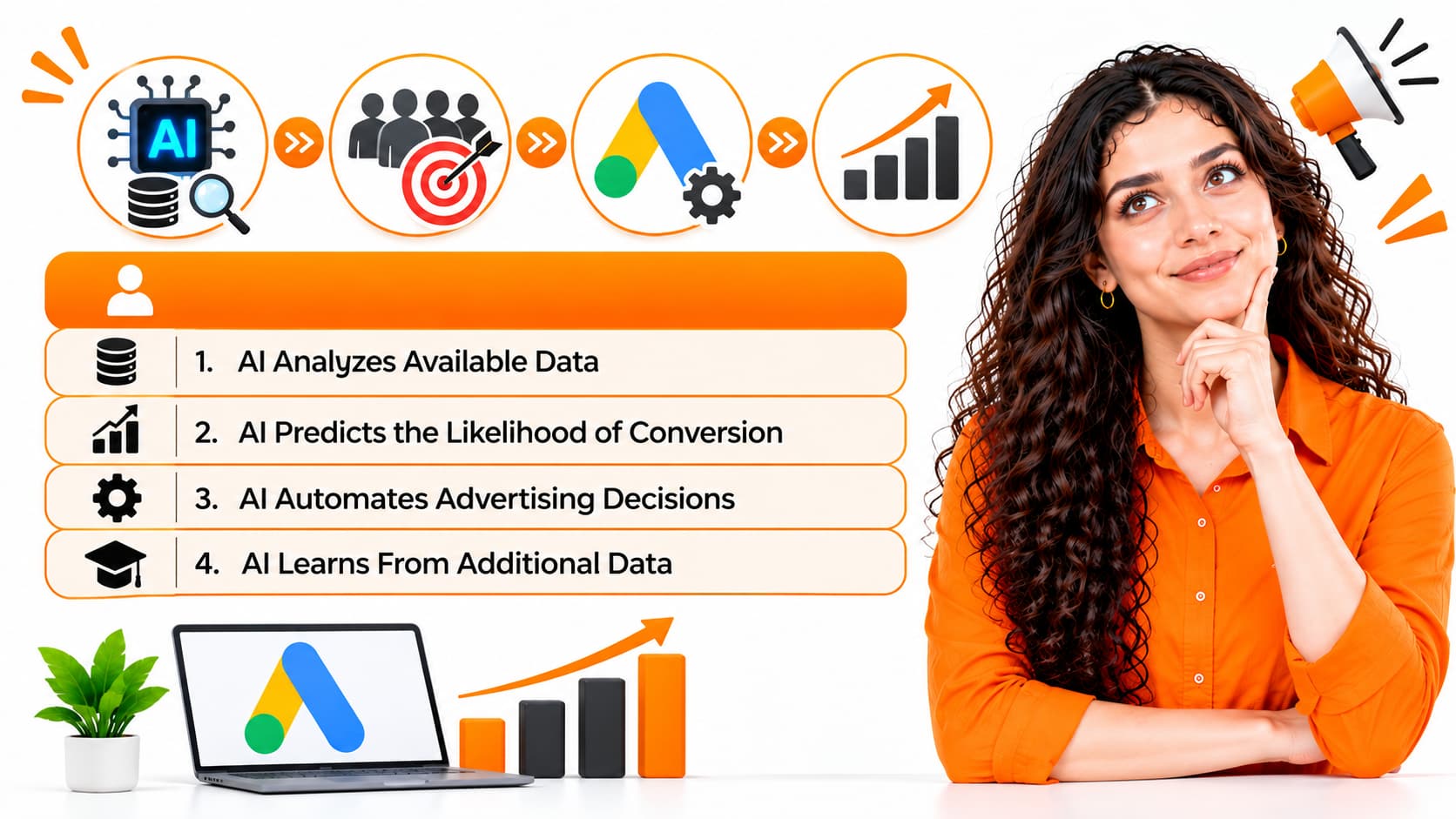
When I explain AI in Google Ads to clients, I break the process into four basic stages.
AI Analyzes Available Data
Google Ads uses relevant signals and historical performance information to understand how different conditions relate to advertising outcomes.
Depending on the feature, these signals may include device type, location, time of day, search context, and conversion-related information.
The signals available for individual auctions vary, and not every campaign uses the same information.
AI Predicts the Likelihood of Conversion
Machine learning models use available information to estimate the probability of different outcomes.
For example, Google’s Smart Bidding systems can estimate how likely an ad interaction is to lead to a conversion.
These predictions help determine how aggressively a campaign should bid in a particular auction.
AI Automates Advertising Decisions
Based on the campaign’s settings and objectives, Google’s AI can adjust bids, identify relevant search opportunities, and optimize the delivery of eligible creative assets.
This reduces the need for advertisers to manage every decision manually.
AI Learns From Additional Data
As more performance information becomes available, machine learning systems can update their predictions and optimize future decisions.
However, this doesn’t mean every campaign will automatically improve over time.
If conversion tracking is inaccurate, the campaign attracts irrelevant traffic, or the offer doesn’t appeal to customers, automation may not deliver the results a business expects.
My approach is to let AI handle suitable repetitive decisions while I focus on strategy, measurement, and business performance.
7 Ways I Use AI in Google Ads to Improve Campaign Performance
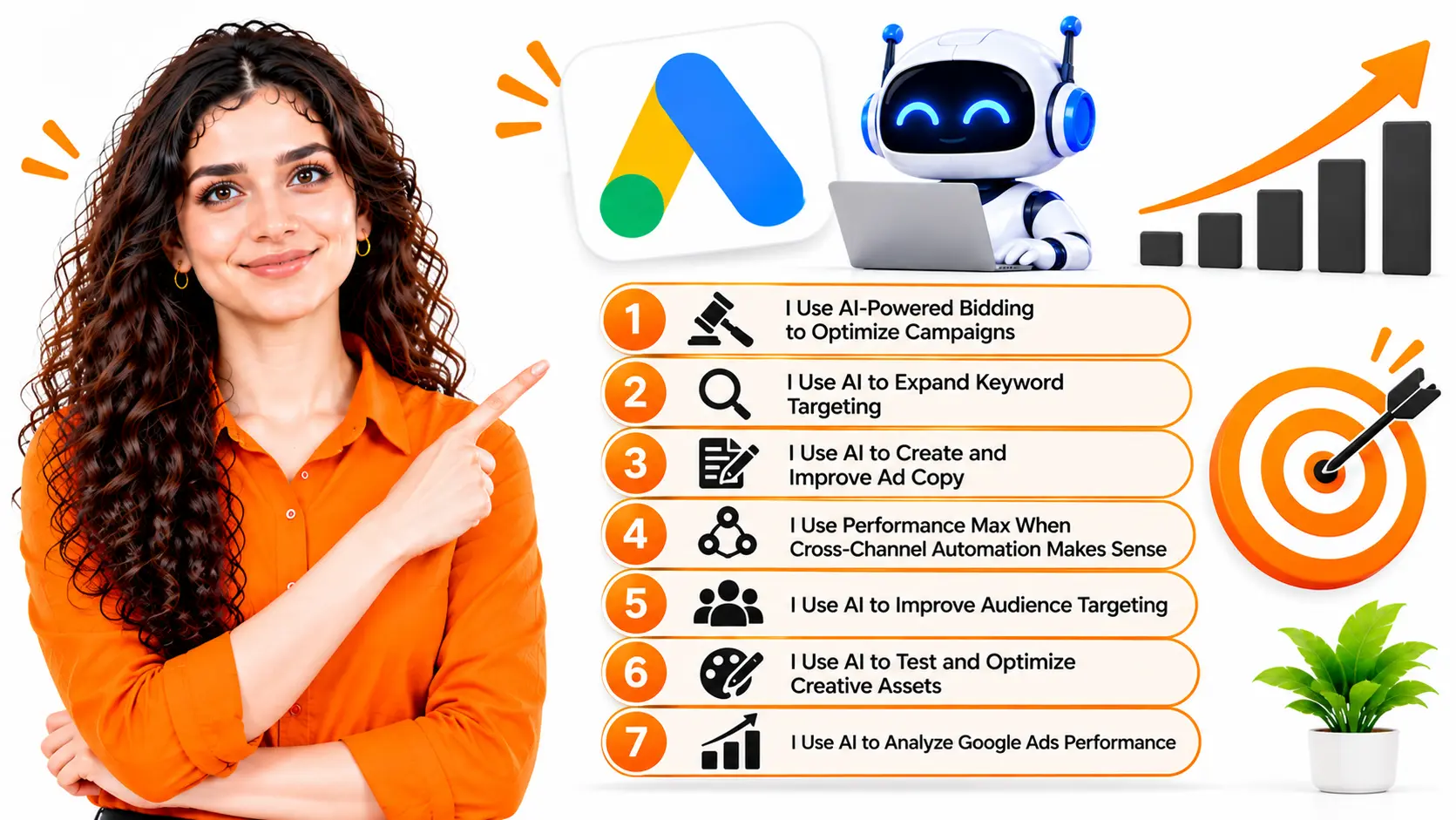
AI can support almost every stage of campaign management. However, I don’t recommend enabling every automated feature simply because it’s available.
I evaluate each feature based on the campaign’s objective, the quality of available data, and the level of control the business needs.
Here are seven practical ways I approach AI-powered advertising.
1. I Use AI-Powered Bidding to Optimize Campaigns
Automated bidding is one of the most useful applications of AI in Google Ads.
With manual bidding, advertisers have greater direct control over individual keyword bids. With Google’s Smart Bidding, the system evaluates auction-time signals to optimize bids toward a selected conversion goal.
I select a bidding strategy based on what the business actually wants to achieve.
| Bidding Strategy | When I Consider Using It | Primary Objective |
| Maximize Conversions | Lead-generation campaigns with reliable conversion tracking | Generate as many conversions as possible within the available budget |
| Target CPA | Campaigns with a realistic acquisition-cost target | Optimize toward a target average cost per acquisition |
| Maximize Conversion Value | E-commerce and other campaigns measuring conversion value | Generate the greatest possible conversion value within the budget |
| Target ROAS | Campaigns with reliable conversion-value tracking | Optimize toward a target average return on ad spend |
| Maximize Clicks | Campaigns primarily focused on website traffic | Generate as many clicks as possible within the available budget |
The availability of these strategies depends on the campaign type and configuration. Maximize Clicks is an automated bidding strategy, but it isn’t a conversion-focused Smart Bidding strategy.
Further Reading: Google Ads Campaign Types and Their Benefits
Example: Using AI to Improve Lead Generation
Suppose I’m managing a Google Ads campaign with a monthly budget of ₹50,000.
The campaign generates 100 leads, giving it an average cost per lead of ₹500.
If the business wants to increase lead volume without significantly increasing acquisition costs, I would first evaluate its conversion tracking, historical performance, lead quality, and budget.
If the data supports it, I might test Maximize Conversions or Target CPA.
Google’s AI can then adjust bids based on the predicted likelihood of conversion in individual auctions.
However, I wouldn’t promise that switching to automated bidding will immediately reduce the cost per lead.
The result depends on competition, conversion history, targeting, landing-page quality, and the competitiveness of the target CPA.
My bidding optimization checklist:
- Verify that the campaign tracks meaningful conversions.
- Select a bidding strategy that matches the business objective.
- Set realistic targets based on historical performance.
- Monitor the quality of leads or sales generated.
- Avoid unnecessary changes during the learning period.
- Evaluate profitability rather than focusing exclusively on conversion volume.
I also remind clients that a lower cost per lead isn’t always better. Ten qualified leads may be more valuable than 30 inquiries from people who are unlikely to become customers.
2. I Use AI to Expand Keyword Targeting
Keyword targeting has always been an important part of Google Ads management.
However, customers don’t always search using the exact keywords advertisers anticipate.
For this reason, I consider AI-powered targeting useful when it helps identify additional relevant search opportunities.
Google Ads offers broad match and AI Max for Search campaigns, which can help advertisers reach searches beyond their explicitly selected keywords.
For example, suppose I’m managing a campaign for an SEO agency.
The primary keywords might include:
- SEO services
- SEO agency
- SEO company
- Professional SEO consultant
AI-powered targeting may identify additional relevant searches, such as:
- SEO services for small businesses
- SEO agency for e-commerce websites
- Hire an SEO consultant
- Professional SEO services for healthcare companies
These searches can help expand campaign reach and uncover potential customers who might otherwise be missed.
However, I don’t assume that broader targeting will automatically improve performance.
The same campaign could attract people looking for SEO jobs, free SEO tools, or SEO training courses. These searches may generate clicks without producing qualified leads.
How I Approach AI-Powered Keyword Targeting
Step 1: Establish a relevant keyword foundation.
I begin by understanding the services, target audience, commercial intent, and competitive landscape.
Step 2: Align keywords with ad copy and landing pages.
I make sure the campaign communicates the right message and directs users to relevant pages.
Step 3: Test appropriate targeting features.
Depending on the campaign, I may test broad match or AI Max for Search campaigns.
Step 4: Review the Search Terms report.
I examine the actual searches triggering ads and identify opportunities for improvement.
Step 5: Refine targeting.
I add negative keywords and review relevant controls to reduce irrelevant traffic.
When using AI Max, I also review search-term matching, text customization, brand controls, and Final URL expansion settings where applicable.
My objective isn’t simply to generate more clicks. I want to identify additional searches that can generate valuable business outcomes.
3. I Use AI to Create and Improve Ad Copy
Writing effective ad copy can be time-consuming, particularly when managing multiple services, locations, and audience segments.
I use AI as a creative assistant to develop headline ideas, explore different messaging angles, and generate initial ad variations.
For example, if I’m creating ads for a digital marketing agency, I might test several approaches.
| Messaging Approach | Example Headline |
| Service-focused | Professional Digital Marketing Services |
| Benefit-focused | Grow Your Business With Digital Marketing |
| Expertise-focused | Work With Experienced Marketing Specialists |
| Lead-generation-focused | Generate More Qualified Business Leads |
| Audience-focused | Digital Marketing for Small Businesses |
Each headline communicates a slightly different benefit or reason to consider the service.
Google’s responsive search ads can combine eligible headlines and descriptions to identify combinations that perform well in different contexts.
AI-powered text customization can also help adapt messaging where the relevant features are available and enabled.
However, I don’t recommend copying AI-generated content directly into an advertising campaign without reviewing it.
Before using an ad asset, I check:
- Whether the message matches the search intent.
- Whether the advertised service is actually available.
- Whether the claims can be substantiated.
- Whether the headline and description fit the landing page.
- Whether the content follows Google’s advertising policies.
- Whether the messaging reflects the client’s brand and positioning.
The AI Prompt I Recommend for Google Ads Copywriting
I use structured prompts to generate more relevant advertising ideas.
For example:
Act as an experienced Google Ads copywriter.
Create 15 responsive search ad headlines and four descriptions for a digital marketing agency targeting small businesses in the United States.
The agency offers SEO, Google Ads management, and website optimization.
Develop a mix of service-focused, benefit-focused, and trust-focused messaging. Focus on generating qualified leads rather than attracting irrelevant clicks.
Avoid exaggerated claims, unsupported promises, keyword stuffing, and generic marketing language.
Follow the applicable Google Ads character limits. Make each asset relevant to the target audience and the advertised service.
I then review the output, remove weak variations, and refine the strongest ideas before adding them to the campaign.
My view:
AI can help me produce and evaluate creative ideas faster, but the quality of the final advertisement still depends on understanding the customer and communicating a relevant offer.
4. I Use Performance, Max When Cross-Channel Automation Makes Sense
Performance Max is a goal-based Google Ads campaign type that uses AI to optimize advertising across eligible Google channels.
Depending on the campaign and its configuration, these can include Search, YouTube, Display, Discover, Gmail, and Google Maps.
I consider Performance Max when a business wants to reach customers across multiple Google advertising channels and has suitable conversion tracking and creative assets.
For example, an online fitness equipment retailer might want to promote treadmills, exercise bikes, and strength-training equipment.
Rather than managing every eligible placement separately, the advertiser can provide relevant assets, product information, and campaign objectives. Google’s AI then helps optimize targeting, bidding, and creative delivery.
When setting up Performance Max, I focus on five areas.
First, I define the right conversion goal.
For an e-commerce business, that usually means accurately tracking purchases and their associated values.
For a lead-generation business, I prioritize conversions that represent genuine sales opportunities.
Second, I provide relevant creative assets.
I use appropriate images, videos, headlines, and descriptions that accurately represent the products or services.
Third, I organize asset groups logically.
For example, an online retailer could create separate asset groups for different product categories.
Fourth, I provide useful audience signals.
Where supported, relevant first-party data and audience signals can help guide campaign delivery.
Fifth, I monitor actual business results.
I evaluate conversion value, cost per acquisition, lead quality, and revenue rather than assuming that automated delivery guarantees success.
I don’t consider Performance Max the best choice for every business.
Some advertisers need greater control over individual search terms or want to isolate specific campaign objectives. In these situations, a well-structured Search campaign may be more appropriate, either independently or alongside Performance Max.
5. I Use AI to Improve Audience Targeting
AI can help advertisers identify potential customers using available audience signals, contextual information, and predictions about conversion likelihood.
Google Ads provides audience-related features, including remarketing, customer data segments, custom segments, and optimized targeting, for eligible campaigns.
I use these capabilities to help align advertising with the customers a business wants to reach.
For example, a company selling accounting services to construction businesses may want to reach decision-makers looking for industry-specific accounting support.
An e-commerce business may want to reconnect with eligible website visitors or use relevant customer data to inform its advertising strategy.
The appropriate approach depends on the campaign type, available data, consent requirements, and targeting controls.
When evaluating audience targeting, I focus on the following:
- Identifying valuable customer segments.
- Using first-party data responsibly.
- Creating relevant remarketing audiences where appropriate.
- Testing audience signals in eligible campaigns.
- Comparing conversion quality across relevant segments.
- Reviewing settings that allow targeting to expand beyond selected audiences.
One important distinction is that audience signals do not always act as strict targeting restrictions. In some campaign types, they guide the system rather than limit delivery exclusively to those audiences.
For that reason, I review the available settings before launching a campaign.
I also look beyond click-through rates. An audience that generates fewer clicks can still be valuable if it produces better-qualified leads or higher-value customers.
6. I Use AI to Test and Optimize Creative Assets
The right advertisement can influence whether a potential customer clicks and takes the next step.
Google Ads uses automation to combine and serve eligible creative assets based on available signals and predicted performance.
I use these capabilities to explore different messaging angles without relying entirely on manual testing.
For example, a roofing company might advertise:
- Roof repair services.
- Emergency roofing assistance.
- Roof replacement estimates.
- Residential roofing expertise.
- Local roofing services.
Each message addresses a different customer need.
However, I don’t assume that every combination generated by an automated system will be relevant.
If a business offers roof repairs but an advertisement suggests services it doesn’t provide, the mismatch can waste money and damage trust.
My approach is to provide a strong set of accurate assets, review available asset performance reports, and replace weak or outdated messaging when the evidence supports a change.
I also ensure that the landing page matches the offer and expectations in the advertisement.
AI can help optimize creative delivery, but it cannot compensate for a poor offer or an irrelevant landing page.
7. I Use AI to Analyze Google Ads Performance
Campaign reporting is another area where AI can save time.
Instead of manually reviewing every metric in isolation, I can use AI tools to summarize reports, compare reporting periods, identify unusual changes, and develop hypotheses for further investigation.
Consider this example.
| Metric | Previous Month | Current Month |
| Advertising Spend | ₹40,000 | ₹45,000 |
| Clicks | 2,000 | 2,400 |
| Conversions | 100 | 90 |
| Cost Per Conversion | ₹400 | ₹500 |
In this example, advertising spend increased by 12.5%, while conversions decreased by 10%.
The cost per conversion increased from ₹400 to ₹500.
I would investigate this change rather than immediately conclude that the campaign’s targeting or bidding strategy is responsible.
Potential explanations include:
- Changes in traffic quality.
- A decline in landing-page conversion rate.
- Increased competition.
- Changes in search demand.
- Conversion tracking problems.
- Changes in campaign settings.
- Differences in the reporting periods.
AI can help organize the investigation, but I verify the underlying data before making significant changes.
My Recommended Prompt for Google Ads Performance Analysis
Act as a senior Google Ads performance analyst.
Analyze the attached campaign report and compare performance across the reporting periods.
Evaluate advertising spend, impressions, clicks, CTR, CPC, conversions, conversion rate, CPA, conversion value, and ROAS where the relevant data is available.
Identify significant changes, highlight potential problems, and recommend practical optimization actions.
Separate confirmed findings from hypotheses. Do not invent missing information or claim causation without supporting evidence.
Prioritize recommendations according to their potential business impact.
I recommend removing personally identifiable customer information and confidential data before uploading campaign reports to an external AI tool.
I also verify calculations and recommendations against the actual Google Ads account.
For me, AI-assisted analysis is most useful when it helps identify what needs investigation and makes reporting more actionable.
AI Tools I Recommend for Google Ads Management
I don’t believe advertisers need to use every available AI tool. The best tools are those that solve specific problems and fit naturally into the campaign management process.
Here are the tools I consider useful for different advertising activities.
| Tool | How I Use It | Primary Benefit |
| Google Ads | Automated bidding, targeting, campaign management, and ad optimization | Campaign execution |
| ChatGPT | Ad copywriting, campaign analysis, keyword brainstorming, and optimization planning | Research and analysis |
| Google Keyword Planner | Keyword research, search demand estimates, and advertising forecasts | Keyword planning |
| Google Analytics 4 | Analyzing website behavior and conversion paths | Understanding post-click performance |
| Google Looker Studio | Building performance dashboards and visualizing campaign data | Reporting and monitoring |
I use these tools for different purposes rather than expecting one tool to handle everything.
For example, I can use Keyword Planner to research search demand, ChatGPT to develop ad copy ideas, and Google Ads to execute the campaign. I can then use analytics and reporting tools to evaluate what happens after users click.
The important thing is to verify AI-generated recommendations against real campaign data before implementing them.
How I Set Up an AI-Powered Google Ads Campaign
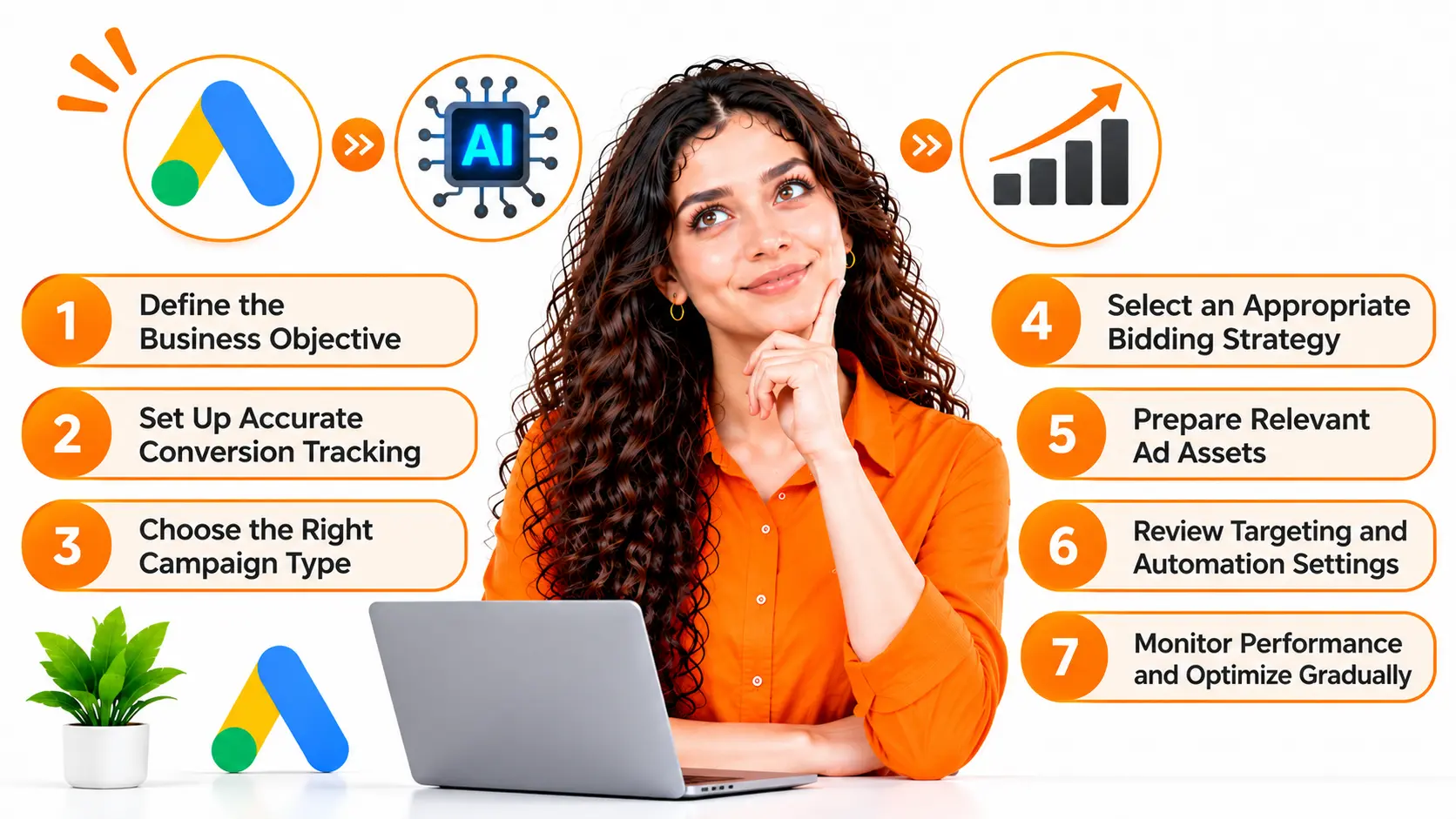
When I approach a new campaign, I focus on establishing the right foundations before introducing additional automation.
Here is the process I recommend.
Step 1: Define the Business Objective
I begin by identifying what the business wants to achieve.
Is the goal to generate qualified leads, increase online sales, acquire customers, or increase revenue from existing advertising spend?
The answer influences the campaign type, bidding strategy, conversion actions, and reporting framework.
For example, a business selling accounting services to construction companies may prioritize qualified consultation requests. An e-commerce business may prioritize completed purchases and the revenue they generate.
I don’t recommend optimizing campaigns around superficial metrics when the business needs measurable commercial outcomes.
Step 2: Set Up Accurate Conversion Tracking
Conversion tracking is one of the most important foundations of AI-powered Google Ads.
Automated bidding relies on conversion-related information to optimize toward selected goals. If the tracking is inaccurate, the system may optimize for actions that don’t generate business value.
I recommend:
- Identifying meaningful conversion actions.
- Configuring Google Ads conversion tracking correctly.
- Verifying that conversions are recorded accurately.
- Avoiding duplicate conversion counts.
- Importing qualified leads or offline sales outcomes where appropriate.
- Implementing enhanced conversions when suitable and properly configured.
For lead-generation campaigns, I also recommend evaluating whether submitted inquiries become qualified leads and paying customers.
Where appropriate, connecting Google Ads with a CRM can provide a more complete picture of advertising performance.
Step 3: Choose the Right Campaign Type
I select campaign types based on the business objective and the required level of control.
For example:
- Search campaigns: Useful for reaching people actively searching for relevant products or services.
- Performance Max: Worth considering when cross-channel automation supports the campaign objective.
- Shopping campaigns: Relevant for eligible e-commerce businesses with suitable product data.
- Display campaigns: Useful for visual advertising and reaching relevant audiences across eligible placements.
- Video campaigns: Appropriate for businesses that want to use video advertising to support their objectives.
I don’t recommend using every campaign type simply because it’s available. A well-structured Search campaign can be a sensible starting point for a business targeting high-intent searches.
Step 4: Select an Appropriate Bidding Strategy
Once conversion tracking is verified, I select a bidding strategy aligned with the campaign’s objective.
For lead generation, I may consider Maximize Conversions or Target CPA.
For e-commerce, I may consider Maximize Conversion Value or Target ROAS when purchase values are tracked accurately.
I also evaluate whether the campaign has sufficient performance data and whether its targets are realistic.
My priority is to give the automated bidding system a clear objective without imposing targets that prevent it from finding valuable opportunities.
Step 5: Prepare Relevant Ad Assets
I use AI to develop headline ideas, descriptions, and creative variations, but I review the final assets before launching.
Every advertisement should accurately represent the business and communicate a relevant benefit.
I also make sure the landing page supports the advertisement’s message. If an ad promotes a specific service, the user should arrive at a page that clearly explains that service.
Step 6: Review Targeting and Automation Settings
Before launching, I review the available targeting controls, keyword strategy, geographic settings, negative keywords, brand controls, and landing-page settings.
When using AI Max for Search campaigns, I pay particular attention to search-term matching, text customization, and Final URL expansion.
For example, if a business advertises a specific service, I want to ensure that automated landing page selection doesn’t direct potential customers to an unrelated blog post or a careers page.
Step 7: Monitor Performance and Optimize Gradually
After launch, I monitor the metrics that matter to the business.
These may include conversions, cost per acquisition, conversion value, return on ad spend, qualified leads, and revenue.
I avoid making unnecessary changes based on a small amount of data. Instead, I investigate performance changes, identify likely causes, and implement measurable improvements.
This approach allows me to use automation without losing sight of the campaign’s commercial objectives.
AI Tools for Google Ads Management in 2027 PPC Experts Use
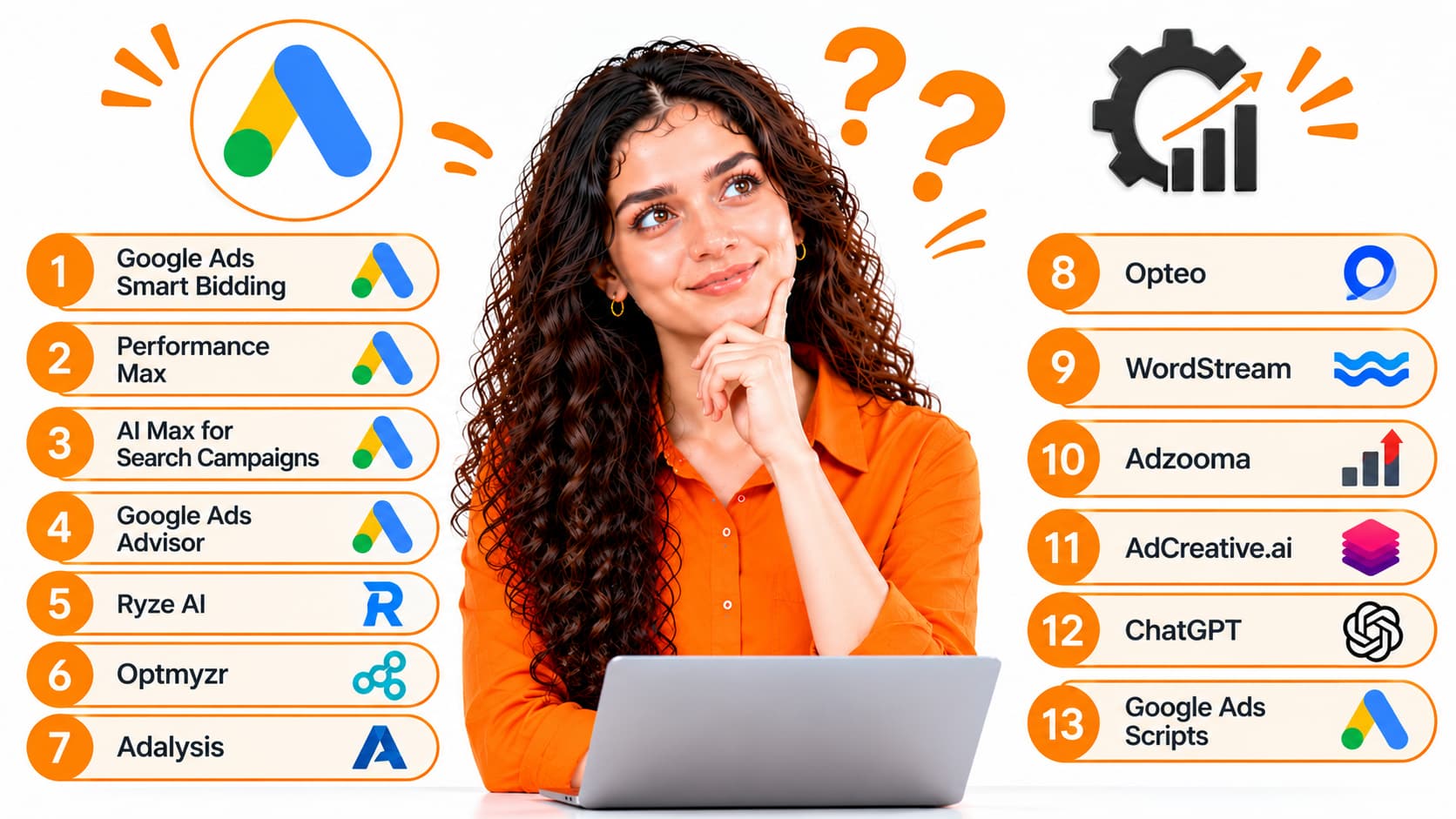
As a Google Ads specialist at RankON Technologies, I believe choosing the right AI tools can make campaign management more efficient. However, I don’t recommend investing in multiple tools that perform the same tasks.
My approach is to start with Google Ads’ built-in AI capabilities and then identify whether additional tools can solve specific problems, such as account analysis, ad testing, creative development, or campaign automation.
I’ve grouped the tools below according to their primary use cases rather than treating every tool as a direct replacement for Google Ads management.
Google Ads Smart Bidding
Best for: Automated bidding and conversion optimization
Smart Bidding is one of the first AI capabilities I consider when optimizing conversion-focused campaigns.
It uses Google’s machine learning to adjust bids at auction time based on the likelihood of achieving the selected conversion objective.
The main strategies include Maximize Conversions, Target CPA, Maximize Conversion Value, and Target ROAS, subject to campaign eligibility and configuration.
For example, if I’m managing a lead-generation campaign, I may use Maximize Conversions to help generate leads within the available budget. If the business has a realistic acquisition-cost target, I may evaluate Target CPA.
My recommendation: Start with accurate conversion tracking and a clear objective before relying on automated bidding. Smart Bidding can optimize toward the goal you provide, but it cannot automatically determine whether every lead is commercially valuable.
Performance Max
Best for: Cross-channel campaign automation
Performance Max uses Google’s AI to help advertisers reach customers across eligible Google advertising channels through a single campaign.
I consider it when a business wants to combine automated bidding, targeting, and creative optimization across multiple channels.
For example, an e-commerce retailer could provide product information, images, videos, headlines, and conversion goals. Google’s AI then helps determine how to deliver the campaign across eligible placements.
However, I don’t automatically recommend Performance Max for every business.
If a company needs close control over search terms or wants to isolate specific Search campaign objectives, I may recommend starting with a dedicated Search campaign instead.
My recommendation: Evaluate Performance Max using conversion value, lead quality, revenue, and profitability rather than simply the volume of traffic it generates.
AI Max for Search Campaigns
Best for: Expanding search reach and adapting ad messaging
AI Max is an optimization layer for eligible Search campaigns. It can help identify additional relevant searches, customize ad text, and direct users to relevant landing pages when the corresponding features are enabled.
I consider testing AI Max when existing keyword targeting may be missing relevant search opportunities.
For example, an agency advertising SEO services may target a defined set of keywords but discover that potential customers use different phrases to describe their needs.
AI Max can help expand that reach.
However, I still recommend reviewing search-term relevance, negative keywords, brand settings, and landing-page selection.
My recommendation: Test AI Max against a clear performance baseline and determine whether it generates additional qualified conversions at an acceptable cost.
Google Ads Advisor
Best for: AI-assisted account analysis and optimization guidance
Google’s AI-assisted advisor capabilities can help advertisers investigate performance changes, explore account information, and identify potential actions through conversational interactions.
The exact features and availability depend on Google’s current rollout and account eligibility.
I see this type of tool as useful when investigating questions such as:
- Why has my cost per conversion increased?
- Which campaigns have experienced a significant performance decline?
- What changes should I investigate before increasing the budget?
- Which optimization opportunities deserve attention first?
The value is in making account analysis more accessible and reducing the time spent searching through reports.
However, I would still verify recommendations against the underlying campaign data before making substantial changes.
My recommendation: Use AI-assisted account analysis to identify potential opportunities, but retain oversight of budget changes, targeting decisions, and other consequential actions.
Ryze AI
Best for: Automated campaign management across advertising platforms
Ryze AI is a third-party advertising management platform that focuses on automating campaign optimization across supported advertising platforms.
According to its published comparison article, its capabilities include bid and budget adjustments, negative keyword management, anomaly detection, and automated campaign actions with configurable approval controls. Ryze AI
I would consider a tool like Ryze AI when an advertiser wants to automate recurring account-management tasks instead of manually reviewing every recommendation.
For example, an agency managing multiple advertising accounts may want to identify underperforming campaigns, investigate wasted spend, and automate selected optimization actions.
However, automated account access and execution require careful oversight. Before connecting an advertising account, I would review its permissions, approval controls, change history, and safeguards.
My recommendation: Consider Ryze AI if you need broader campaign automation, but evaluate its performance and suitability against your account requirements before committing to a paid plan.
Optmyzr
Best for: Advanced Google Ads optimization and rule-based automation
Optmyzr is an advertising optimization platform designed to help marketers manage campaigns, analyze performance, and automate selected tasks.
I would consider it for agencies and advertisers managing complex accounts that require structured workflows and greater control over optimization rules.
Potential applications include:
- Identifying wasted advertising spend.
- Monitoring campaign performance.
- Automating selected optimization tasks.
- Reviewing budget allocation opportunities.
- Managing recurring account-management workflows.
For example, an agency could develop rules to flag campaigns that exceed specified cost thresholds or identify keywords that require additional investigation.
This can help standardize account management across multiple clients.
My recommendation: Consider Optmyzr when you need a more structured optimization workflow and greater control over automation. Evaluate its current features and pricing against your actual requirements.
Adalysis
Best for: Search ad testing and optimization
Adalysis focuses on advertising analysis and optimization, with particular relevance to search ad testing.
I consider this category of tool useful when the main challenge isn’t campaign setup but understanding which advertising messages perform better.
For example, an advertiser might want to evaluate different headline themes, compare ad performance, or identify opportunities to improve responsive search ads.
Instead of creating variations without a clear testing objective, I recommend establishing a hypothesis and evaluating the available evidence.
My recommendation: Consider Adalysis if ad testing and creative performance analysis are major priorities for your account.
Opteo
Best for: Guided Google Ads optimization
Opteo provides Google Ads management and optimization recommendations designed to help advertisers identify and implement improvements.
I would consider it for advertisers who prefer receiving actionable recommendations rather than building every optimization workflow themselves.
For example, a marketer may use an optimization platform to identify potential budget adjustments or campaign issues and then review the suggested changes before implementing them.
This approach can make routine optimization more manageable without requiring every decision to be automated.
My recommendation: Consider Opteo if you want guided optimization and a structured way to review campaign improvements.
WordStream
Best for: Campaign analysis and guidance for smaller advertisers
WordStream provides advertising resources and tools designed to help businesses evaluate and improve their digital advertising.
I would consider its available analysis tools when a small business needs a starting point for identifying potential campaign weaknesses.
For example, an advertiser could use an account assessment to identify issues worth investigating before making significant changes to bidding or budgets.
However, an automated assessment should not be treated as a complete campaign audit. Recommendations still need to be evaluated against the business’s objectives and actual performance data.
My recommendation: Consider WordStream’s available tools if you need accessible campaign guidance, particularly when building an optimization process for a smaller advertising account.
Adzooma
Best for: Simplifying routine advertising optimization
Adzooma is an advertising management platform that helps marketers review campaign performance and identify potential optimization opportunities across supported advertising platforms.
I would consider it when a business wants a more accessible way to monitor advertising activity and review suggested improvements.
For example, an advertiser managing several campaigns may want a centralized view of performance and a practical list of areas requiring attention.
Before choosing a plan, I would verify which features are currently available and whether they support the advertising accounts I manage.
My recommendation: Consider Adzooma if simplifying routine campaign monitoring is a priority, but compare its capabilities with those already available in Google Ads.
AdCreative.ai
Best for: Generating advertising creative concepts
AdCreative.ai focuses on AI-assisted advertising creative generation.
I would consider it when a business needs help producing creative concepts for visual advertising, display campaigns, and other supported placements.
For example, an e-commerce company promoting different product categories may need multiple creative variations to communicate product benefits to different audiences.
An AI creative tool can help generate initial ideas and speed up production.
However, generated assets still need to reflect the actual product, brand identity, offer, and advertising requirements.
My recommendation: Consider AdCreative.ai when creative production is a bottleneck. If your main challenge is bidding or conversion tracking, a creative-generation tool alone won’t solve it.
ChatGPT
Best for: Campaign research, ad copy, and performance analysis
I consider ChatGPT a useful assistant for the analytical and creative tasks surrounding Google Ads management.
I can use it to develop keyword themes, draft ad copy, structure campaign plans, analyze exported reports, and generate ideas for optimization experiments.
For example, I might provide an anonymized campaign report and ask ChatGPT to identify significant changes in CPA, conversion rate, and advertising spend.
I would then verify the findings in Google Ads before deciding what to change.
With an appropriate integration, an AI assistant may also be able to retrieve advertising account information or support controlled workflows. Such access depends on the available integration and its permissions.
My recommendation: Use ChatGPT to support your thinking and reduce repetitive work, but verify its calculations and recommendations before implementing them.
Google Ads Scripts
Best for: Custom automation and repetitive account-management tasks
Google Ads Scripts allow advertisers to automate selected tasks within their advertising accounts using code.
Although scripts are not inherently AI tools, they can complement AI-powered campaign management.
For example, I could use a script to identify campaigns exceeding a specified budget threshold, generate scheduled reports, or flag keywords that meet defined conditions.
AI can help an experienced marketer draft or explain scripts, but the resulting code must be tested and reviewed before being deployed.
My recommendation: Consider Google Ads Scripts when you need customized automation and have the technical resources to maintain it.
Quick Comparison: Which AI Tool Should You Choose?
Rather than selecting a tool because it appears first in a ranking, I recommend choosing one based on the problem you need to solve.
| Your Requirement | Tool to Consider | Why |
| Automated bidding | Google Ads Smart Bidding | Optimizes bids toward selected campaign goals |
| Cross-channel campaign automation | Performance Max | Uses Google’s AI across eligible advertising channels |
| Expanded Search campaign reach | AI Max | Helps discover relevant searches and customize messaging |
| Conversational account analysis | Google Ads Advisor, where available | Helps investigate performance and identify potential actions |
| Broader campaign automation | Ryze AI | Offers automated optimization workflows |
| Rule-based optimization | Optmyzr | Supports structured campaign-management workflows |
| Search ad testing | Adalysis | Focuses on ad analysis and testing |
| Guided campaign improvements | Opteo | Provides optimization recommendations |
| Campaign assessment | WordStream | Offers advertising analysis and guidance |
| Routine campaign monitoring | Adzooma | Helps simplify advertising management |
| Creative generation | AdCreative.ai | Supports AI-assisted advertising creative development |
| Ad copy and reporting assistance | ChatGPT | Supports research, writing, and analysis |
| Custom automation | Google Ads Scripts | Automates tasks using configurable code |
Note: This is a practical use-case comparison, not an independently tested ranking. Features, integrations, eligibility, and prices can change.
How I Choose the Right AI Tools for My Google Ads Campaigns
I don’t believe every advertiser needs a paid AI management platform.
For many businesses, Google Ads already provides useful automation through Smart Bidding, responsive search ads, and eligible AI-powered campaign features.
I would start by asking five questions.
What is the main problem I’m trying to solve?
If the issue is poor conversion tracking, I would fix measurement first. If ad creation is the bottleneck, I would consider creative tools. If routine optimization consumes too much time, an automation platform may be worth evaluating.
Does the tool solve a problem that Google Ads doesn’t already address?
I avoid paying for overlapping features without a clear benefit.
How much control do I retain?
I review the available permissions, approval workflows, and change logs before allowing a third-party tool to modify an advertising account.
Can I measure its impact?
I look for measurable improvements in efficiency, conversion quality, cost per acquisition, or profitability.
Is the cost justified?
The subscription cost should make sense relative to the time saved or the additional business value generated.
My approach is to introduce tools gradually, evaluate their impact, and retain the ones that genuinely improve the campaign management process.
Common AI in Google Ads Mistakes I Help Businesses Avoid
AI can make campaign management more efficient, but it can also create problems when advertisers rely on automation without proper oversight.
These are the mistakes I recommend avoiding.
Expecting AI to Fix Every Campaign Problem
I don’t consider AI a replacement for campaign strategy.
If the offer is uncompetitive, the landing page is confusing, or the conversion tracking is inaccurate, automated bidding alone is unlikely to solve the problem.
I address these foundational issues before expecting AI to improve performance.
Optimizing for the Wrong Conversions
A campaign can generate more conversions without generating more revenue.
For example, if Google Ads optimizes toward low-quality form submissions, it may produce more inquiries while the business struggles to acquire customers.
I recommend tracking meaningful business outcomes and using qualified-lead or offline conversion data where appropriate.
Expanding Targeting Without Monitoring Search Terms
AI-powered targeting can uncover new opportunities, but it can also attract irrelevant traffic.
I regularly review search terms, add negative keywords as needed, and evaluate whether expanded targeting is generating valuable leads or sales.
Publishing AI-Generated Ads Without Reviewing Them
AI can produce misleading claims, generic messaging, or statements that don’t accurately reflect a business’s services.
I review advertising assets for factual accuracy, relevance, brand consistency, and policy compliance before using them.
Changing Campaign Settings Too Frequently
Frequent changes can make it difficult to understand what is improving or damaging performance.
I prefer making deliberate, evidence-based adjustments and giving campaigns an appropriate evaluation period.
Ignoring Landing-Page Experience
Even well-targeted advertising can underperform when the landing page is slow, confusing, or irrelevant.
I evaluate the complete customer journey, including the advertisement, landing page, form, and subsequent sales process.
Measuring Success Only Through Advertising Metrics
A campaign’s CPA or ROAS doesn’t tell the entire business story.
I also consider lead quality, conversion-to-customer rates, margins, customer acquisition costs, and revenue.
My goal is not simply to make Google Ads metrics look better. It helps businesses understand whether their advertising is generating commercially valuable outcomes.
How I Measure the Success of AI in Google Ads
I evaluate AI-powered campaigns using a combination of advertising metrics and business outcomes.
| Metric | What I Evaluate |
| Click-Through Rate (CTR) | Whether ads attract relevant user interest |
| Cost Per Click (CPC) | How much does the campaign pay for traffic |
| Conversion Rate | How effectively does traffic produce the defined conversion action |
| Cost Per Acquisition (CPA) | How much does the campaign spend per conversion |
| Conversion Value | The value assigned to tracked conversions |
| Return on Ad Spend (ROAS) | Conversion value relative to advertising spend |
| Qualified Lead Rate | The proportion of leads that meet business qualification criteria |
| Customer Acquisition Cost (CAC) | The cost of acquiring customers across the relevant acquisition expenses |
Example: Evaluating an AI-Optimized Campaign
Suppose I manage a campaign for an e-commerce business that spends ₹60,000 and generates ₹180,000 in tracked purchase revenue.
The campaign’s ROAS is:
ROAS = Conversion Value ÷ Advertising Spend
₹180,000 ÷ ₹60,000 = 3.
The campaign generates ₹3 in tracked revenue for every ₹1 spent on advertising.
However, I wouldn’t automatically conclude that the campaign is profitable.
I would also consider product costs, shipping, returns, payment processing, and other relevant expenses.
To evaluate whether an AI-powered change actually improved performance, I would compare results against an appropriate baseline or, where possible, a controlled experiment
I also consider whether the campaign attracted the right customers and whether the additional revenue justifies the advertising cost.
For me, successful AI optimization means improving business outcomes, not simply increasing clicks or conversions.
Why I Believe Businesses Need Both AI and Experienced Google Ads Management
AI has made many advertising tasks faster and more accessible. However, I believe experienced campaign management remains important because advertising decisions must reflect the realities of each business.
At RankON Technologies, we approach digital marketing with an emphasis on strategy, measurable outcomes, and continuous improvement.
Our work across SEO, Google Ads, and digital marketing has shown us that advertising performance is influenced by more than campaign settings alone. Website experience, customer intent, competition, and offer quality all play important roles.
As a Google Ads specialist, I focus on applying automation where it makes sense while maintaining oversight of the decisions that influence campaign performance.
That includes:
- Campaign strategy: Aligning advertising activity with business objectives.
- Conversion tracking: Ensuring that optimization is based on meaningful data.
- Targeting and keyword research: Reaching relevant audiences and evaluating search intent.
- Budget management: Allocating spend according to campaign performance and business priorities.
- Creative optimization: Testing relevant advertising messages and improving asset quality.
- Performance analysis: Investigating changes and identifying practical opportunities for improvement.
About My Google Ads Expertise
I’m Anand Kumar T., and my work focuses on Google Ads and PPC campaign management.
My professional credentials include:
- Google Ads certification.
- Top Rated Plus status on Upwork.
- A 100% Job Success Score on Upwork.
- Experience managing more than $600,000 in advertising spend.
- Expertise in campaign management, keyword and audience targeting, conversion tracking, budget allocation, and performance optimization.
I use a data-driven approach to evaluate advertising decisions, with an emphasis on accurate measurement and sustainable campaign performance.
About RankON Technologies
RankON Technologies is a digital marketing agency providing SEO, Google Ads, and related services to businesses across industries.
Our company credentials and strengths include:
- 14+ years of industry experience.
- Top Rated Plus recognition on Upwork.
- Awards and recognition from Clutch and 50Pros.
- A team of 20+ professionals.
- Experience serving global clients across multiple industries.
- A focus on high-quality delivery and timely communication.
- Project management processes to support organized execution.
- Service options are designed to accommodate different business requirements and budgets.
At RankON Technologies, we believe effective digital marketing combines practical expertise, appropriate technology, and a clear understanding of business goals.
Our objective is to help clients make informed marketing decisions and build campaigns around measurable outcomes rather than unrealistic promises.
Final Thoughts: How I Recommend Using AI in Google Ads
I see AI as an important development in Google Ads management because it can make bidding, targeting, creative optimization, and reporting more efficient.
However, my experience has taught me that automation alone doesn’t guarantee advertising success.
A campaign still needs accurate conversion tracking, relevant targeting, compelling ad copy, appropriate landing pages, and a clear understanding of what makes a customer valuable to the business.
My recommendation is to start with the fundamentals, identify where AI can improve efficiency, and test new features against measurable business objectives.
At RankON Technologies, I believe the best results come from combining AI-powered capabilities with experienced campaign management, careful analysis, and continuous optimization.
If you’re looking to improve your Google Ads performance, I invite you to explore RankON Technologies’ digital marketing services and learn how a structured, data-driven approach can help you achieve your business goals.
“By Anand Kumar T., Google Ads & PPC Specialist, RankON Technologies”
FAQs About AI in Google Ads
What is AI in Google Ads?
AI in Google Ads refers to the use of artificial intelligence and machine learning to automate and optimize advertising activities, including bidding, targeting, creative delivery, and campaign performance.
I use these capabilities to reduce repetitive work and support data-driven campaign decisions.
How can I use AI in Google Ads?
You can use AI for automated bidding, keyword expansion, ad copy generation, audience optimization, Performance Max campaigns, and performance analysis.
I recommend starting with accurate conversion tracking and a clear campaign objective before introducing additional automation.
Does AI improve Google Ads performance?
AI can improve advertising efficiency by automating decisions and identifying relevant opportunities. However, better performance isn’t guaranteed.
Results depend on conversion tracking, campaign structure, competition, landing page quality, budget, and offer relevance.
What is AI Max in Google Ads?
AI Max is an optimization layer for Search campaigns that can expand search-term matching, customize ad text, and support automated landing-page selection.
I recommend evaluating it based on the relevance and commercial value of the additional traffic it generates.
Is Performance Max the same as AI Max?
No. Performance Max is a separate campaign type designed to reach customers across multiple Google advertising channels.
AI Max enhances eligible Search campaigns through features related to search matching, text customization, and landing-page selection.
I select between them based on campaign objectives, targeting requirements, and the level of control needed.
Can ChatGPT help me manage Google Ads?
Yes. I use AI assistants as support tools for tasks such as ad copywriting, keyword brainstorming, report analysis, and optimization planning.
However, AI-generated recommendations need to be verified against actual campaign data. ChatGPT does not automatically have access to your Google Ads account unless an appropriate integration is available or you provide the relevant information.
Can AI reduce Google Ads costs?
AI may help reduce acquisition costs by improving bidding and targeting decisions, but cost reductions aren’t guaranteed.
I evaluate performance using relevant metrics such as CPA, conversion quality, revenue, and profitability rather than focusing exclusively on CPC.
Should small businesses use AI in Google Ads?
Yes. Small businesses can benefit from automated bidding, responsive search ads, and AI-assisted campaign planning.
I recommend starting with a manageable campaign structure, accurate conversion tracking, and a budget appropriate for the business.
How long does AI take to optimize a Google Ads campaign?
There is no universal timeline. The time required depends on campaign type, conversion volume, data quality, and the changes being made.
I recommend monitoring performance over an appropriate period and avoiding unnecessary changes while the campaign gathers data.
Can AI replace a Google Ads specialist?
AI can automate many campaign management tasks, but it doesn’t eliminate the need for strategic oversight.
I still consider business objectives, conversion quality, profitability, landing-page experience, and the wider competitive landscape when making advertising decisions.
My view is that AI is most valuable when it supports informed decision-making rather than replacing it.