
Are you looking for website development services but not sure how much they cost in India? Must read this website development cost breakdown guide from our expert developers and SEO marketers at RankON Technologies in India.
A professional website is more than just an online presence; I see it as a digital storefront that represents your business, builds credibility, attracts potential customers, and generates leads around the clock.
Before investing in website development, I always recommend understanding the benefits of having a website and the essential features and characteristics of a good website.
One of the first questions business owners ask me is, “How much does it cost to develop a website in India in 2026?” Honestly, there is no one-size-fits-all answer.
Website development costs depend on several factors, including the type of website, number of pages, design complexity, required functionality, technology, third-party integrations, SEO requirements, and ongoing maintenance.
Based on my experience in the digital industry, website development in India can cost anywhere from ₹10,000 for a basic website to ₹10 lakh or more for a complex custom web application or enterprise-level platform. However, spending more doesn’t necessarily mean getting a better website.
What matters is choosing the right development approach, understanding your business requirements, and investing in features that deliver actual value.
At RankON Technologies, my team and I work with businesses to develop responsive, user-friendly, and SEO-ready websites that align with their business objectives.
Whether you need a simple business website, a feature-rich eCommerce store, or a custom website, we help you identify the right solution based on your goals and budget.
In this guide, I’ll break down website development costs in India for 2026, explain the factors that influence pricing, share practical cost estimates, and help you make a smarter investment in your website.
How Much Does Website Development Cost in India?
When someone asks about the website development costs in India, I first want to understand what they need the website to accomplish.
A five-page website and a custom customer portal might both be called websites. But the development work behind both is completely different.
As a general guide, here are approximate website development costs in India in 2026 for different types:
| Website Type | Approximate Website Development Cost |
| Landing Page | ₹10,000 – ₹30,000 |
| Basic business website | ₹20,000 – ₹60,000 |
| Professional business website | ₹40,000 – ₹1,50,000 |
| Corporate website | ₹75,000 – ₹2,50,000+ |
| E-commerce website | ₹60,000 – ₹3,00,000+ |
| Custom web application | ₹2,00,000 – ₹15,00,000+ |
| Large marketplace/portal | ₹5,00,000 – ₹25,00,000+ |
These aren’t fixed website development charges in India. I use ranges like these as a starting point because the final website design and development costs depend on the website’s size, design, functionality, technology, integrations, content, and web design and development requirements.
For many small and medium-sized businesses, a realistic website development cost in India ranges from ₹40,000 to ₹2,00,000. A simple website development can cost less, while a highly customized web app can cost substantially more.
How Much Does Website Development Cost With RankON Technologies in India
| Features | Startup Website Package | Small Business Website Package | Enterprise Website Package |
| Price | ₹20,000 | ₹35,000 | ₹50,000 |
| Ideal For | Small Businesses & Startups | Mid-Size Businesses | eCommerce Businesses |
| Number of Pages | Up to 5 Pages | 10 Pages | Up to 50 Products |
| Logo Design | Included | Included | Included |
| Slider | Included | Included | — |
| Dynamic Website | Included | Included | — |
| Domain | Free for 1st Year (.com/.in) | Free for 1st Year (.com/.in) | — |
| Hosting | Free for 1st Year | Free for 1st Year | — |
| Business Email | 1 Email (500 MB) | 2 Emails (500 MB Each) | — |
| Contact Form | 1 | 1 | 3 |
| SSL Certificate | Free | Free | — |
| Testimonials Section | Included | Included | — |
| Gallery Section | Included | Included | — |
| Chat Feature | Included | Included | WhatsApp Chat Integration |
| Content Writing | ₹1 Per Word | ₹1 Per Word | ₹1 Per Word |
| Social Media Integration | Social Profile Links | Social Profile Links | Social Media Profiles Integration |
| Click to Call/Email | Included | Included | Included |
| Mobile Responsive Design | Included | Included | — |
| Payment Gateway | — | — | Included |
| WordPress Login Details | Provided | Provided | Provided |
| Delivery Time | 3 Days | 7 Days | As Per Requirements |
| Free Support | — | 4 Hours | — |
| Additional Support | ₹500/Hour | ₹500/Hour | ₹500/Hour |
| Renewal Charges | ₹2,000 + Domain Price | ₹3,000 + Domain Price | As Per Requirements |
Additional Pricing Information:
- All package prices are exclusive of applicable taxes.
- 18% GST is applicable.
- Prices may increase depending on specific project requirements.
- Terms and conditions apply.
What Are the Essential Requirements to Build a Website in 2026?
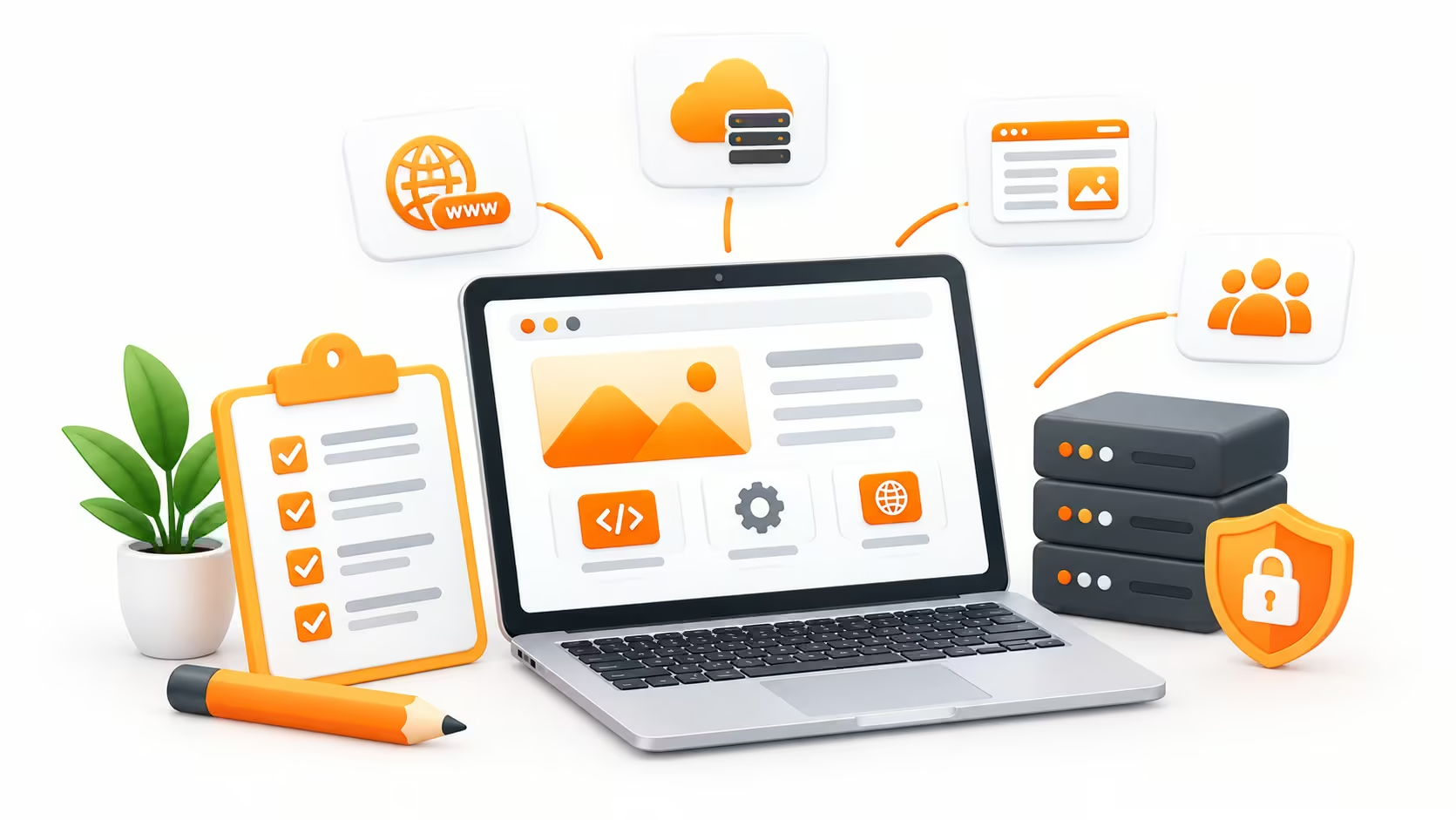
Whether you’re creating a simple business website, an eCommerce store, or a custom web application, certain essentials are required to build a professional, functional website.
Here are the Essential Components You Need to Build a Website:
Building a successful website requires more than just an attractive design. It needs the right combination of essential elements to ensure a smooth user experience, strong functionality, security, and performance. From domain registration and reliable hosting to responsive design, engaging content, SEO-friendly structure, and security features, every component plays an important role in creating a website that attracts visitors, builds trust, and supports your business goals.
Let’s take a look at the main requirements for building a website in detail.
1. Domain Name

A domain name is the web address customers use to find your business online (e.g., yourbusiness.com). Recommend choosing a domain that is short, memorable, easy to spell, and closely connected to your brand.
The domain usually needs to be renewed annually, so it should be considered part of your ongoing website expenses. While the registration cost is generally modest, premium or highly desirable domain names can cost considerably more.
2. Web Hosting
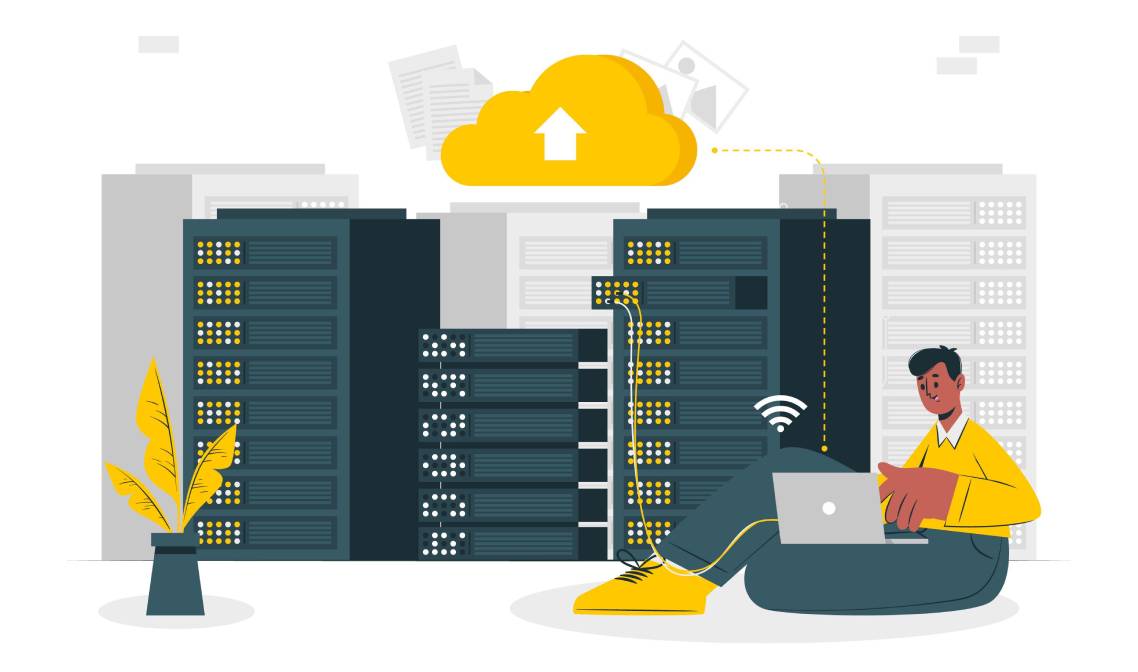
Web hosting provides the server space required to store your website’s files and make them accessible to visitors. The web hosting you need depends on your website’s size, expected traffic, functionality, and performance requirements.
For a small business website, shared or managed hosting may be sufficient. Larger websites, e-commerce stores, and high-traffic platforms may require VPS, cloud, or dedicated hosting.
Choosing reliable hosting can improve website speed, uptime, security, and overall user experience. Check how much website hosting costs.
3. Web Content

A professionally developed website still needs valuable web content to communicate with visitors and search engines.
This can include:
- Homepage copy
- About Us content
- Service or product descriptions
- Blog articles
- FAQs
- Testimonials
- Contact information
- Calls to action
I consider content during the website development process rather than treating it as something to add at the very end. Well-structured, original content helps visitors understand what a business offers while also providing search engines with useful information about the website.
4. Logo & Branding

Your logo and branding give your website a recognizable identity. Colors, typography, imagery, icons, and other visual elements should work together consistently across your website and other marketing channels.
If a business already has brand guidelines, I can incorporate them into the website design. If not, developing a suitable visual direction may become part of the overall project.
Consistent branding can make a website look more professional and help visitors remember the business. Check out our logo design service and packages.
5. Website Design/UI
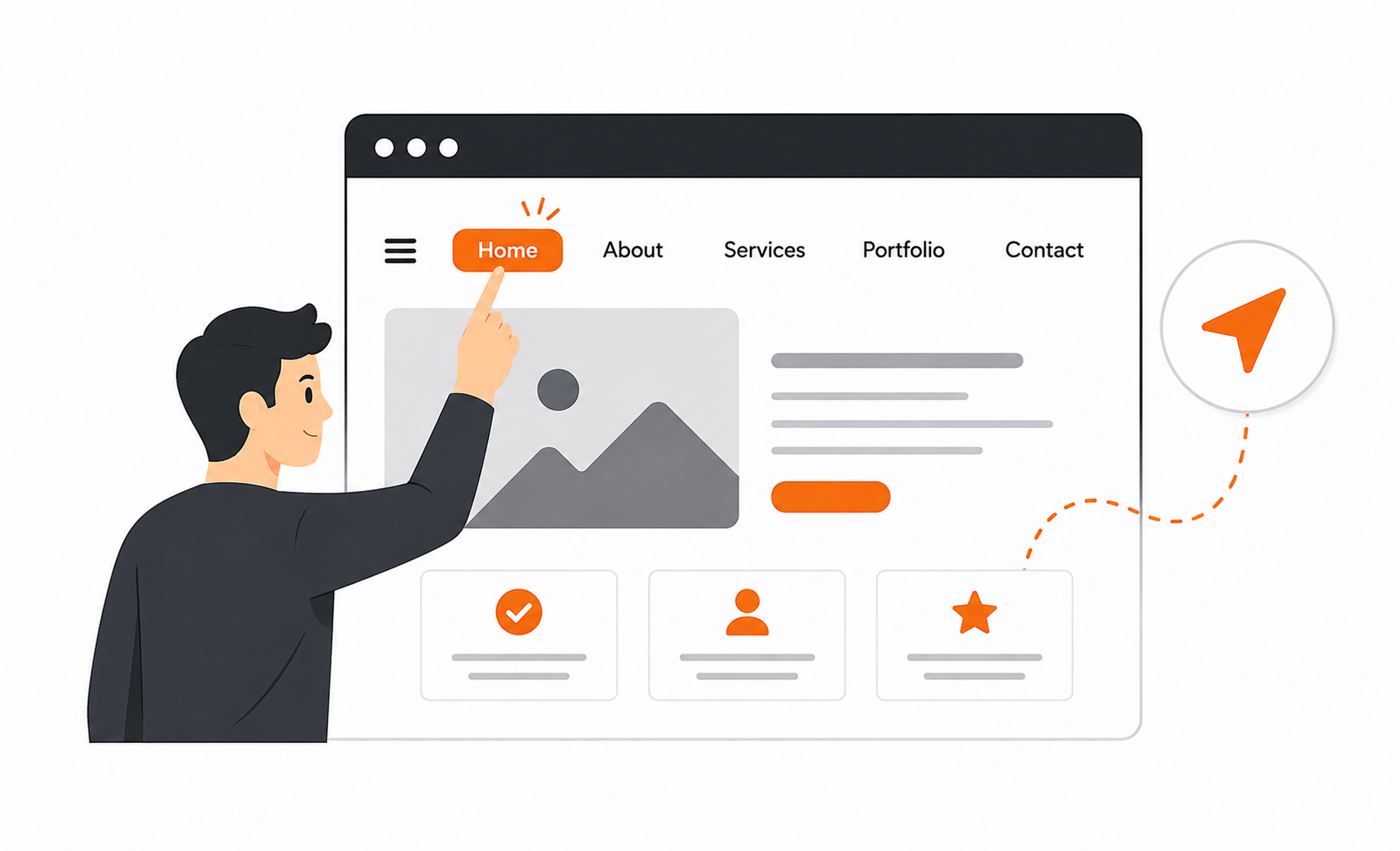
Website design and UI (User Interface) determine how your website looks and how visitors interact with it.
I pay attention to elements such as:
- Navigation
- Page layouts
- Typography
- Colours
- Buttons and calls to action
- Visual hierarchy
- Mobile responsiveness
- Accessibility
- User experience
A good website UI shouldn’t simply look attractive. It should make it easy for visitors to find information and take the next step, whether that’s submitting an inquiry, booking an appointment, or purchasing a product.
Custom UI/UX design can also increase website development costs compared with using a standard template, but it can provide greater flexibility and a more distinctive brand experience.
6. Theme

A website theme controls many of a website’s visual and structural elements, particularly on platforms such as WordPress, Wix, Shopify, and Squarespace.
Businesses can choose between:
- Free themes
- Premium themes
- Custom-designed themes
A ready-made theme can help keep website development costs lower and speed up the initial build. However, custom themes provide more control over design, functionality, branding, and performance.
I recommend selecting a theme based on the business’s actual needs rather than simply choosing the most visually impressive option.
7. Plugins & Extensions

Plugins and extensions add functionality to a website without requiring every feature to be developed from scratch.
Depending on the website, these may provide:
- Contact forms
- SEO functionality
- Security
- Caching
- Backup systems
- E-commerce
- Payment processing
- Social media integration
- Analytics
- Booking functionality
While many plugins are free, premium plugins may require a one-time purchase or annual subscription. Too many unnecessary plugins can also affect website performance and security, so I prefer using only those that serve a genuine purpose.
8. Licensed Graphics, Images, and Fonts

Visual content plays an important role in website design, but businesses need to be careful about copyright.
Licensed images, graphics, illustrations, icons, and fonts may need to be purchased or licensed before they can legally be used on a commercial website.
Using properly licensed visual assets protects a business from potential copyright issues and also helps maintain a professional appearance.
If original photography or custom illustrations are required, those costs should be included in the website project budget. Check our graphic design services.
9. SSL Certificate
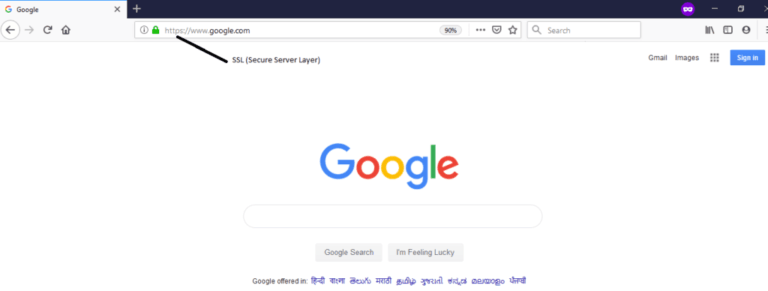
An SSL certificate helps encrypt information exchanged between a visitor’s browser and the website. Websites using SSL display HTTPS rather than HTTP in the browser address bar.
SSL is particularly important for websites that collect personal information, inquiries, login details, or payment information.
Beyond security, HTTPS is now a standard expectation for modern websites. I therefore consider SSL and basic website security important parts of a professional website setup rather than optional extras.
10. SEO and Analytics

Building a website is only part of establishing an online presence. If potential customers can’t find it through search engines, the website may not deliver the results the business expects.
That’s why I recommend considering SEO services after the website launch to make it discoverable.
Important SEO foundations I recommend integrating prior to website launch can include:
- SEO-friendly URLs
- Proper heading structure
- Page titles and meta descriptions
- Internal linking
- Mobile responsiveness
- Fast page loading
- Image optimisation
- Crawlable website architecture
- XML sitemap
- Structured data where appropriate
Analytics tools can then help businesses understand website traffic, user behavior, conversions, and other performance indicators.
When calculating website development costs in India, don’t look only at the design. Domain registration, hosting, content, branding, UI, theme, plugins, licensed assets, SSL, SEO, and analytics all contribute to the overall investment.
Planning these requirements before the development starts gives businesses a clear understanding of what they need and where their investment is going.
At Rankon Technologies, I help businesses combine website development, responsive design, SEO-friendly website architecture, and analytics to create a stronger foundation for online growth. Rather than building a website and thinking about SEO later, our team considers search visibility and user experience throughout the website development process.
What Does Website Development Cost in India by Platform?
Platform choice directly affects both website development costs and long-term website maintenance costs.
| Website Development Platform | Typical Website Development Range | Suitable for |
| WordPress | ₹30,000 – ₹3,00,000 | Standard business websites, blogs, and portfolios |
| Wix | ₹10,000 – ₹50,000+ | Small websites |
| Shopify | ₹50,000 -₹3,00,000 | Direct-to-customer (D2C) and eCommerce stores |
| WooCommerce | ₹80,000 – ₹5,00,000 | eCommerce stores requiring advanced customization |
| Custom (React, Node, Laravel) | ₹3,00,000 – ₹20,00,000+ | Saas products, web apps, and portals |
| Webflow/Framer | ₹40,000 – ₹1,50,000 | Fast, design-led marketing landing pages |
| Magento | ₹2,50,000 – ₹8,00,000+ | Large-scale enterprise catalogs and high-traffic online stores |
As of 2026, among different website builders, WordPress powers roughly 42-43% of all websites globally and remains the most cost-effective option for Indian businesses that require CMS-backed sites. Here are the 50 reasons to use WordPress for website development.
Custom website development using React, Node, or Laravel is the ideal choice when your products need backend logic, API’s, user authentication, and multi-role access that CMS platforms can’t handle cleanly.
The right website development technology ultimately depends on your website’s functionality, performance needs, scalability, budget, and long-term goals.
Different Ways to Build a Website and Their Associated Development Costs
When planning a website, look beyond the initial website development prices. The right website development approach depends on the website’s complexity, required features, timeline, scalability, and your available website budget.
Here are the most common ways to build a website in India:
1. DIY Website Builders
Platforms such as Wix, Squarespace, and similar website builders allow users to create websites using templates and drag-and-drop tools. Click to learn how a website is created.
Approximate cost: ₹ 5,000- ₹ 35,000+ per year, including a typical website plan and basic add-ons.
These website development platforms offer low monthly subscription costs and built-in hosting, making them ideal when cash flow is restricted. This can be a reasonable option for someone who needs a straightforward website and is comfortable managing it themselves.
Best for: Small businesses, personal portfolio websites, freelancers, and startups with simple requirements.
The main advantage of DIY Website building is affordability and speed. However, customization and flexibility can become limiting as requirements grow.
Check website development costs using different website builders below:
- Shopify Website Development Cost
- Squarespace Website Development Cost
- Magento Website Development Cost
- WordPress Website Development Cost
- Wix Website Development Cost
2. AI Website Builders
AI website builders can generate a website based on a few prompts about your business, industry, design preferences, and required pages. They can help quickly create layouts, text, images, and basic website structures.
Approximate cost: ₹2,500-₹12,000 per year, depending on the platform, plan, hosting, and additional features.
Best for: Startups, individuals, small businesses, and users who want to launch a basic website quickly.
AI builders can reduce development time, but complex websites may still require professional design, development, SEO, and customization.
3. Freelancer
Hiring a freelancer gives you more flexibility than DIY platforms. A freelancer can handle website design, development, customization, integrations, and basic SEO according to your requirements.
Approximate cost: ₹15,000-₹1,50,000+ for a fixed-price project, or ₹ 500- ₹ 3,000+ if you pay on an hourly basis.
Best for: Small businesses, local companies, portfolios, blogs, and startups with clearly defined requirements.
However, the final cost depends on the freelancer’s experience, the technology used, the number of pages included, design complexity, and functionality.
4. Website Development Agency
A website development agency provides a broader team of professionals, including developers, designers, UI/UX specialists, content writers, SEO professionals, and project managers. This makes website development agencies well-suited to businesses seeking comprehensive website development solutions.
Approximate cost: ₹ 50,000- ₹ 5,00,000+, depending on the project’s scope and features.
Best for: growing businesses, corporate companies, eCommerce brands, and organizations that need professional design, development, SEO, integrations, and ongoing support.
The initial website development cost may be higher than that of a freelancer, but an agency can provide a more comprehensive development process and long-term support.
5. Custom Development Team
For highly complex websites or web applications, building a custom development team can be the right choice. This approach involves front-end developers, back-end developers, UI/UX designers, QA specialists, DevOps professionals, and project managers.
Approximate Cost: ₹2,00,000-₹15,00,000, with large platforms potentially costing significantly more.
Best for: Advanced eCommerce systems, SaaS platforms, booking platforms, enterprise applications, portals, and businesses with unique technical requirements.
Custom development provides greater control over functionality, integrations, security, scalability, and future expansions. However, it requires a larger budget and a longer development timeline.
When planning to build a website, don’t choose only based on the lowest price. A DIY builder may be enough for a simple portfolio, while a growing business may benefit from an agency. If you need unique functionality or expect significant growth, custom development may offer better long-term value.
At Rankon Technologies, we help businesses build websites based on their goals, whether they need responsive website development, eCommerce development, custom solutions, UI/UX design, SEO-friendly development, or ongoing support and website maintenance.
What Factors Affect the Website Development Costs in India?
Have you ever wondered why one website costs ₹30,000 while another costs 3 lakhs?
Here are some of the biggest factors to consider when estimating website development costs for your project.
- Number of Pages
A 5-page website requires less design and content implementation than a 30- or 50-page website.
- Custom Design
A custom-designed site built from scratch costs more than a premium theme with brand customization, but it also gives businesses greater control over the brand experience.
- Functionality
A basic inquiry form is relatively simple to build. But a custom dashboard, an appointment-booking system, and a membership platform require significantly more development work.
- ECommerce Features
A product catalog, filters, shopping cart, payment gateway, customer accounts, inventory management, order tracking, shipping integrations, and inventory systems are the main cost drivers for online stores.
- Third-Party Integrations
CRM systems, email marketing tools, payment gateways, booking software, API mapping, and other external platforms can increase a project’s complexity.
- Content Creation
If your business needs professional copywriting, product descriptions, photography, graphics, or videos, these services may increase overall costs.
- SEO and Performance
A business that wants to compete in organic search may need a stronger technical foundation, faster page load times, structured content, schema markup implementation, and other optimization efforts.
- Security and Maintenance
Websites require ongoing attention after launch. Security updates, backups, bug fixes, plugin updates, monitoring, and content changes can be included in the long-term website budget.

Website Development Cost in India by Business Type
The cost of developing a website depends not only on its design, number of pages, or technology but also on the type of business you operate. Every business has different website requirements, functionality, and customer expectations. For example, a startup may need a simple website to establish its online presence, while an eCommerce business may require product management, payment gateway integration, inventory tracking, and order management features.
Below, I’ve explained the estimated website development costs for different types of businesses in India.
1. Startup Website Development Cost
Startups generally need a professional website to introduce their business, explain their products or services, generate leads, and build credibility. A basic startup website typically includes a homepage, an about us page, a services or products page, a contact page, and lead-generation forms.
Estimated Cost: ₹15,000–₹40,000
Common features include:
Responsive website design
5–7 website pages
About us and services sections
Contact forms
WhatsApp integration
Basic on-page SEO setup
Social media integration
SSL certificate

2. Small Business Website Development Cost
Small businesses such as local service providers, retailers, consultants, and professional agencies need websites that help them attract customers and generate inquiries. These websites generally include multiple service pages, customer testimonials, business information, and contact options.
Estimated Cost: ₹20,000–₹60,000
Common features include:
5–15 website pages
Customized website design
Service and product pages
Lead generation forms
Google Maps integration
WhatsApp and click-to-call functionality
Testimonials and portfolio sections
Basic SEO-friendly structure
3. Corporate Website Development Cost
Corporate websites require a more professional design and structured content to communicate a company’s services, expertise, achievements, and brand identity. They may also include multiple service categories, career pages, resource sections, and advanced inquiry forms.
Estimated Cost: ₹50,000–₹2,00,000+
Common features include:
Custom UI/UX design
Multiple service and business pages
Company profile and leadership sections
Blog and resource management
Advanced contact forms
CRM integration
Analytics integration
Technical SEO setup
Security and performance optimization

4. eCommerce Website Development Cost
An eCommerce website allows businesses to sell products online, accept payments, manage orders, and handle customer accounts. Its development cost depends on the number of products, payment options, shipping integrations, inventory requirements, and overall shopping experience.
Estimated Cost: ₹40,000–₹3,00,000+
Common features include:
Product catalog and categories
Shopping cart and checkout
Payment gateway integration
Customer registration and login
Inventory management
Order tracking
Shipping integration
Product search and filters
Discount coupons
Order and sales management dashboard
5. Real Estate Website Development Cost
Real estate businesses need websites to showcase properties, generate buyer inquiries, and connect potential customers with agents. Depending on the business model, the website may include property listings, search filters, location-based searches, and property inquiry functionality.
Estimated Cost: ₹40,000–₹2,00,000+
Common features include:
Property listing pages
Property search and filters
Location-based property search
Property image galleries
Inquiry and callback forms
Agent and broker profiles
Google Maps integration
CRM integration
Lead management functionality
6. Healthcare Website Development Cost
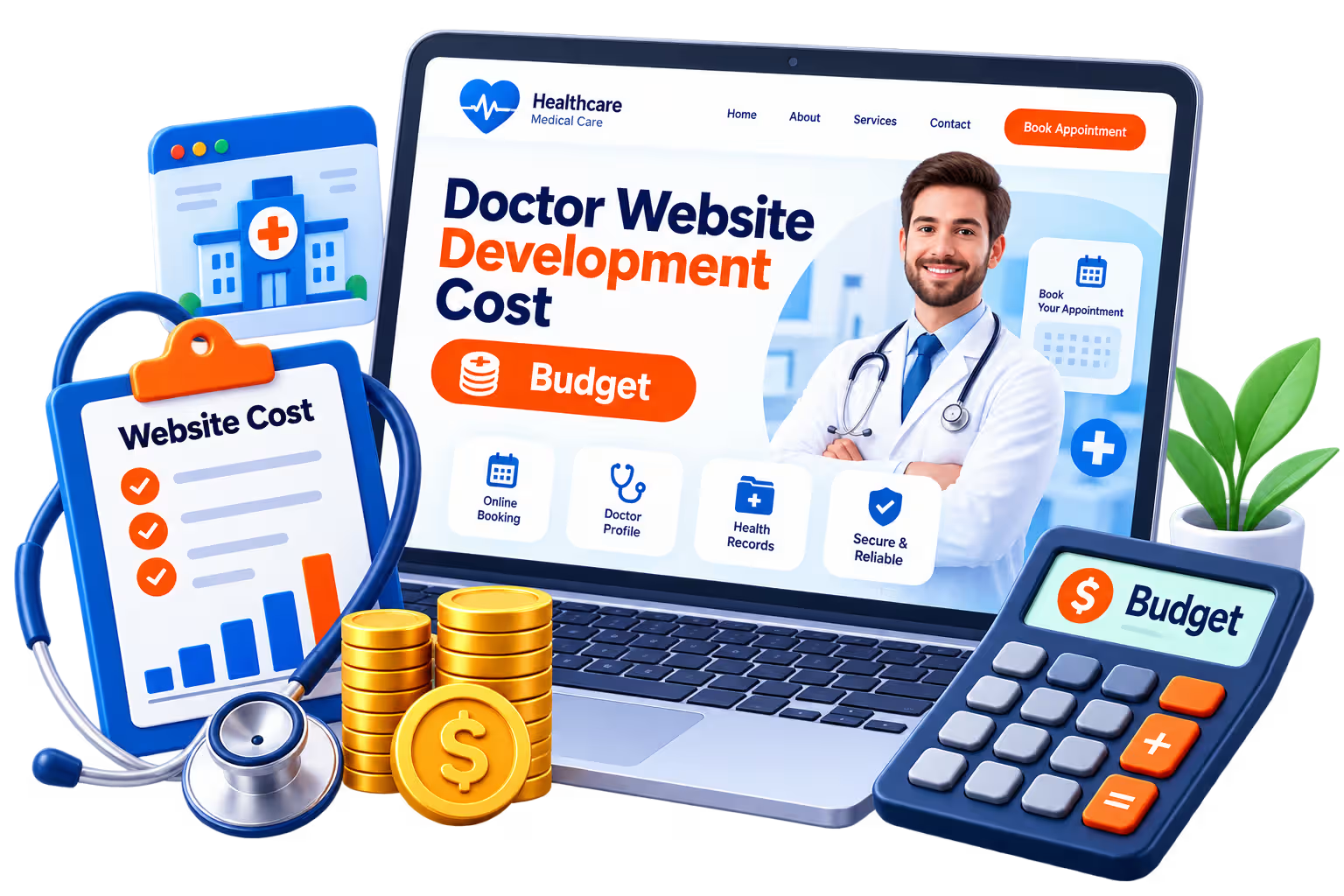
Healthcare websites help hospitals, clinics, doctors, and healthcare providers share medical information, showcase treatments, and receive patient inquiries. Advanced websites may also include appointment scheduling, doctor profiles, and patient portals.
Estimated Cost: ₹30,000–₹1,50,000+
Common features include:
Doctor and specialist profiles
Treatment and service pages
Appointment booking
Contact and inquiry forms
Clinic location and Google Maps
Patient testimonials
WhatsApp integration
Healthcare-related content sections

7. Educational Website Development Cost
Educational institutions, coaching centers, training providers, and online educators need websites to showcase courses, provide information, and attract students. Websites with online learning functionality may require additional development and integrations.
Estimated Cost: ₹30,000–₹2,50,000+
Common features include:
Course listing pages
Faculty and instructor profiles
Admission inquiry forms
Online registration
Student login
Learning management system (LMS)
Online payment integration
Course management dashboard
Learning materials and resources
8. Custom Web Application Development Cost
Businesses that need functionality beyond a standard website may require custom web application development. Examples include online portals, SaaS platforms, booking systems, customer dashboards, and business management applications.
Estimated Cost: ₹1,50,000–₹10,00,000+
Common features include:
Custom UI/UX design
User registration and authentication
Admin dashboard
Database management
API integrations
User-specific dashboards
Automated workflows
Advanced reporting
Role-based access management
Custom business functionality
Website Development Cost Comparison by Business Type
| Business Type | Estimated Development Cost |
|---|---|
| Startup Website | ₹15,000–₹40,000 |
| Small Business Website | ₹20,000–₹60,000 |
| Corporate Website | ₹50,000–₹2,00,000+ |
| eCommerce Website | ₹40,000–₹3,00,000+ |
| Real Estate Website | ₹40,000–₹2,00,000+ |
| Healthcare Website | ₹30,000–₹1,50,000+ |
| Educational Website | ₹30,000–₹2,50,000+ |
| Custom Web Application | ₹1,50,000–₹10,00,000+ |
Note: These are indicative website development costs in India, not fixed quotations. Actual pricing depends on the number of pages, design complexity, technology, integrations, custom functionality, and development requirements. Domain, hosting, maintenance, and third-party subscription costs may be additional.

How to Choose the Right Website Development Budget?
Before finalizing your website development budget, identify what you want your website to achieve. If your primary goal is to establish an online presence and generate inquiries, a professional business website may be sufficient. However, if you want to sell products, manage bookings, provide online services, or automate business operations, you may need additional functionality and a higher development budget.
At RankON Technologies, we recommend selecting a website development solution that aligns with your current business requirements and future growth plans. A well-planned website should not only fit your budget but also provide the flexibility to support your business as it grows.
Comparing Website Development Packages in India? Must Know What Should Be Included!
Choosing a website development package involves more than comparing prices and the number of pages included. A professional website development package should cover all the essential elements required to build a functional, secure, responsive, and user-friendly website. It should also provide the flexibility to support your business requirements as they grow.
Whether you’re building a website for a startup, small business, corporate organization, or eCommerce store, understanding what’s included in a development package can help you make a better investment decision.
Here are the essential features and services you should look for when selecting a professional website development package.
1. Custom or Professional Website Design
Your website design creates the first impression of your business. A professional development package should include a visually appealing design that reflects your brand identity and makes it easy for visitors to navigate your website.
It should include:
Professional homepage design
Consistent colors, typography, and branding
User-friendly navigation
Clear call-to-action buttons
Well-structured page layouts
Modern and clean design elements
2. Mobile-Responsive Website Development
A significant portion of website traffic comes from mobile devices. Therefore, your website should work smoothly across smartphones, tablets, laptops, and desktop computers.
A professional package should include:
Mobile-friendly layouts
Responsive images and content
Easy-to-use mobile navigation
Readable text and properly sized buttons
Cross-device compatibility testing
3. Domain Name and Web Hosting
A domain name gives your website its online identity, while web hosting stores its files and makes them accessible to visitors.
Depending on the package, domain registration and hosting may be included for the first year. Before purchasing, check whether renewal charges are included in the quoted price.
4. Content Management System (CMS)
A Content Management System allows you to manage website content without requiring technical knowledge or developer assistance for every small update.
Your website development package may include:
WordPress or another suitable CMS
Admin dashboard access
Page and blog management
Image and media management
Basic user management
Website editing capabilities
5. Essential Website Pages
A professional website should include all the important pages required to explain your business, showcase your services, and help visitors contact you.
Common pages include:
Home
About Us
Services
Individual Service Pages
Contact Us
Privacy Policy
Terms and Conditions
The number of pages included will depend on your selected package and business requirements.
6. SEO-Friendly Website Structure
Website development should consider search engine optimization from the beginning. A well-structured website makes it easier for search engines to discover, crawl, and understand your content.
Look for these SEO-related features:
SEO-friendly URL structure
Editable title tags and meta descriptions
Proper heading hierarchy (H1, H2, H3)
XML sitemap configuration
Robots.txt configuration
Image optimization and alt text support
Canonical tag support
Basic schema markup, where applicable
Keep in mind that an SEO-friendly website foundation does not automatically include a complete SEO campaign or guarantee search rankings.
7. Website Security and SSL Certificate
Website security protects your business website and its visitors from common security threats. A professional development package should include basic security configurations and an SSL certificate.
Important security features include:
HTTPS configuration
SSL certificate
Secure admin login
Basic spam protection
Security plugin or firewall configuration, where applicable
Regular backup arrangements
8. Contact Forms and Lead Generation Features
For service-based businesses, generating inquiries is one of the primary purposes of a website. Your development package should include functional contact forms that allow visitors to submit their details easily.
Useful features include:
Contact forms
Quote request forms
Click-to-call functionality
WhatsApp integration
Email inquiry notifications
Form validation and spam protection
9. Social Media Integration
Social media integration helps visitors connect with your business across different platforms. It also provides additional ways for potential customers to engage with your brand.
A professional package may include:
Facebook profile integration
Instagram profile links
LinkedIn profile integration
YouTube channel links
Social sharing functionality
WhatsApp chat integration
10. Website Speed and Performance Optimization
Website performance affects user experience and can influence search visibility. Your development package should include basic performance optimization to ensure that pages load efficiently.
This may include:
Image compression
Browser caching configuration
Code optimization
Lightweight design elements
Proper image sizing
Basic Core Web Vitals considerations
Actual website performance depends on hosting, content, third-party scripts, and other technical factors.
11. Analytics and Tracking Integration
A website should help you understand how visitors interact with your business online. Analytics integration allows you to monitor website traffic, visitor behavior, and important conversion activities.
Consider including:
Google Analytics 4 (GA4)
Google Search Console
Google Tag Manager
Conversion tracking setup, where required
Some advanced tracking configurations may require additional implementation.
12. Website Testing and Quality Assurance
Before launching a website, developers should test its functionality and performance to identify potential issues.
Testing should cover:
Mobile and desktop responsiveness
Browser compatibility
Contact form functionality
Navigation and internal links
Website loading performance
Broken links and missing images
Basic security checks
13. Post-Launch Support and Maintenance
Website development doesn’t end when the website goes live. You may need technical assistance, updates, and troubleshooting after launch.
Check whether your package includes:
Free technical support
Bug fixing
CMS assistance
Backup support
Security updates
Website maintenance options
Also, clarify the duration of free support and the charges for additional work.
Checklist: What Should Your Website Development Package Include?
Use this checklist when comparing different website development companies.
| Website Development Feature | Recommended |
|---|---|
| Professional Website Design | Yes |
| Mobile-Responsive Design | Yes |
| Domain Registration | Package Dependent |
| Web Hosting | Package Dependent |
| CMS Integration | Yes, where required |
| Essential Website Pages | Yes |
| SEO-Friendly Structure | Yes |
| SSL Certificate | Yes |
| Contact Forms | Yes |
| Social Media Integration | Yes |
| WhatsApp Integration | Recommended |
| Speed Optimization | Yes |
| GA4 Integration | Recommended |
| Google Search Console | Recommended |
| Website Testing | Yes |
| Admin Login Credentials | Yes |
| Post-Launch Support | Yes |
What Does RankON Technologies Include in Its Website Development Packages?
At RankON Technologies, we offer website development solutions for startups, small businesses, and growing organizations. Our packages are designed to cover essential website requirements while keeping development costs manageable.
Depending on the selected package, our offerings include website design, responsive development, logo design, contact forms, social media integration, domain and hosting benefits, and other essential website features.
We also provide customized website development solutions for businesses that require additional functionality, integrations, or more advanced website structures.
You can explore our Website Development Packages in India to compare available plans, features, and pricing.
Hidden Website Development Costs You Should Know About
When planning a website development budget, most businesses focus on the initial design and development charges. However, building and maintaining a website involves several additional expenses that may not be included in the developer’s initial quotation.
These costs can include domain renewals, web hosting, premium plugins, professional email accounts, security services, website maintenance, and third-party integrations. Understanding these expenses in advance helps you plan your budget more accurately and avoid unexpected costs after your website goes live.
Here are some common hidden website development costs you should consider:
1. Domain Registration and Renewal Costs
A domain name is your website’s online identity, such as www.yourbusiness.com. While some website development packages offer a free domain for the first year, you generally need to pay an annual renewal fee to keep it active. The renewal price depends on the domain extension and registrar.
2. Web Hosting Renewal Costs
Web hosting stores your website’s files and makes them accessible online. Some developers offer free hosting for the first year, but it usually becomes a recurring expense afterward. Your hosting cost depends on server resources, storage, bandwidth, website traffic, and performance requirements.
3. Premium Themes and Plugins
If your website is built using WordPress or another CMS, you may need premium themes and plugins for advanced functionality. Features such as appointment booking, membership management, advanced forms, security, and SEO tools may require paid subscriptions or licenses.
4. SSL Certificate and Website Security
An SSL certificate protects information exchanged between your website and its visitors. Although many hosting providers offer free SSL certificates, advanced security requirements may involve additional expenses for malware scanning, firewall protection, security monitoring, and backup services.
5. Professional Business Email Accounts
Businesses often need professional email addresses such as info@yourbusiness.com or sales@yourbusiness.com. Depending on the email provider, storage requirements, and number of users, you may need to pay monthly or annual subscription charges.
6. Website Maintenance and Technical Support
A website requires regular maintenance even after development is complete. Software updates, plugin compatibility checks, bug fixes, security patches, performance monitoring, and content updates may involve recurring expenses. If you don’t have an in-house technical team, you may need a developer or website maintenance service.
7. Content Writing and Image Licensing
Website content plays an important role in communicating your services and converting visitors into customers. Professional content writing, product descriptions, landing page copy, stock images, illustrations, and licensed graphics may add to your overall development budget.
8. Third-Party Integrations and API Costs
If your website requires payment gateways, CRM software, appointment-booking systems, marketing automation, shipping integrations, or other external tools, you may incur additional setup and subscription fees. Some integrations are free, while others charge based on usage, features, or the number of transactions.
9. Website Redesign and Feature Upgrades
As your business grows, your website may need new features, additional pages, improved functionality, or a complete design refresh. These upgrades are not always covered under the original development agreement and may require a separate investment.
Estimated Additional Website Expenses to Calculate
| Expense | Cost Type | Frequency |
|---|---|---|
| Domain Renewal | Recurring | Annual |
| Web Hosting | Recurring | Monthly/Annual |
| Premium Themes | Subscription/Licence | Annual or One-Time |
| Premium Plugins | Subscription/Licence | Annual |
| SSL Certificate | Free or Paid | Annual |
| Business Email | Subscription | Monthly/Annual |
| Website Maintenance | Service Charge | Monthly/Annual |
| Content Writing | Service Charge | Per Word/Page |
| API Integrations | Usage/Subscription | Monthly/Annual |
| Website Upgrades | Development Charge | As Required |
Note: Actual costs vary depending on the hosting provider, technology, website requirements, subscription plans, and service provider.
Key Takeaway: Before choosing a website development company, ask for a detailed quotation that separates one-time development charges from recurring expenses.
At RankON Technologies, we recommend understanding the full cost of website ownership rather than evaluating a development package based solely on its initial price. This helps you make a more informed investment decision and avoid unexpected expenses in the future.
How to Calculate Your Website Development Budget?
Planning your website development budget before starting a project helps you avoid unexpected expenses and make better investment decisions. However, calculating website development costs isn’t simply about estimating the price of design and coding. You also need to consider domain registration, hosting, content creation, website functionality, SEO setup, security, and ongoing maintenance.
The right budget depends on your business goals, website type, required features, technology, and future growth plans. Whether you’re building a basic business website, a corporate website, or an eCommerce platform, here’s how you can calculate your website development budget.
1. Identify Your Website Type and Business Requirements
Start by identifying the type of website you want to build. Different websites require different levels of design, development, and functionality.
For example:
Business Website: Suitable for companies that want to showcase their services and generate enquiries.
Corporate Website: Requires professional design, multiple service pages, company information, and advanced functionality.
eCommerce Website: Needs product listings, shopping carts, payment gateways, and order management.
Portfolio Website: Showcases projects, achievements, and professional expertise.
Custom Web Application: Requires specialized functionality, databases, user dashboards, and custom integrations.
Defining your website type helps you estimate the initial development investment more accurately.
2. Calculate the Number of Pages
The number of pages can influence your website development cost, particularly when each page requires a unique layout or custom functionality.
Prepare a list of pages you need before requesting a quotation.
For example:
| Website Page | Purpose |
|---|---|
| Homepage | Introduces your business |
| About Us | Shares company information |
| Services | Showcases your offerings |
| Individual Service Pages | Explains each service |
| Portfolio | Displays completed projects |
| Blog | Publishes informational content |
| Contact Us | Helps visitors reach your business |
| Privacy Policy | Explains data and privacy practices |
A basic website with five pages will generally cost less than a website with 25 pages and multiple custom layouts.
3. Estimate Design and Development Costs
Your design and development requirements will significantly impact the total budget.
Consider whether you need a ready-made theme, a customized template, or a completely custom-designed website.
Your estimated costs should account for:
UI/UX design and wireframing
Frontend development
Backend development
CMS integration
Mobile-responsive design
Database development, if required
Custom functionality and integrations
Custom designs and advanced functionality generally require more development resources than standard template-based websites.
4. Include Domain and Hosting Expenses
Domain registration and web hosting are essential website expenses that you should include in your budget.
Consider the following:
| Expense | Estimated Cost in India |
|---|---|
| Domain Registration | ₹700–₹1,500/year |
| Shared Web Hosting | ₹2,000–₹6,000/year |
| VPS Hosting | ₹6,000–₹24,000/year |
| Cloud Hosting | Depends on usage |
| SSL Certificate | Free–₹5,000+/year |
Note: These are indicative budgeting ranges, not fixed market prices. Actual costs depend on the provider, renewal rates, server specifications, and selected plan. Some hosting packages include SSL certificates and domain registration benefits.
5. Consider Content Writing and SEO Expenses
Your website needs well-written content to communicate your services, explain your offerings, and help visitors understand your business.
If you don’t have ready-to-use content, include professional content writing expenses in your budget.
You may need:
Homepage content
About Us content
Service page content
Product descriptions
Blog articles
Landing page content
Meta titles and descriptions
You should also allocate a budget for basic SEO setup, including search-friendly URLs, heading structure, image optimization, XML sitemap configuration, and essential technical SEO elements.
Remember that website development and ongoing SEO services are separate investments.
6. Add Costs for Additional Features and Integrations
Advanced website features can increase your development budget. Therefore, identify the functionality you need before finalising your project scope.
For example:
| Additional Feature | Possible Cost Impact |
|---|---|
| Payment Gateway Integration | Additional setup and transaction charges |
| WhatsApp Integration | Free or paid, depending on implementation |
| CRM Integration | Depends on CRM and API requirements |
| Appointment Booking | Depends on plugin or custom development |
| Live Chat | Free or subscription-based |
| Membership Functionality | Additional development or plugin costs |
| Multi-language Website | Additional design and content work |
| Advanced Search and Filters | Additional development |
| Customer Dashboard | Custom development cost |
Not every website needs these features. Include only those that support your business goals.
7. Calculate Website Maintenance and Renewal Costs
Your website will continue to require attention after launch. Set aside a separate budget for recurring expenses.
These may include:
Domain renewal
Hosting renewal
Premium plugin subscriptions
Theme and software licenses
Website backups
Security monitoring
Technical support
Content updates
Bug fixes and feature upgrades
A practical approach is to calculate both your initial development investment and your expected annual website ownership costs.
8. Keep a Contingency Budget
During development, you may identify additional requirements that weren’t included in the original project scope. These could involve design changes, additional pages, new integrations, or unexpected technical issues.
I recommend keeping approximately 10–15% of your estimated development budget as a contingency reserve.
For example, if your estimated website development cost is ₹50,000, keep an additional ₹5,000–₹7,500 available for unexpected requirements.
Website Development Budget Calculation Example
Let’s assume you’re planning to develop a professional website for a small business with approximately 10 pages, a contact form, WhatsApp integration, and basic SEO setup.
Here’s how you can estimate the initial investment:
| Cost Component | Estimated Budget |
|---|---|
| Website Design and Development | ₹25,000 |
| Domain Registration | ₹1,000 |
| Web Hosting | ₹3,000 |
| Content Writing | ₹5,000 |
| Basic SEO Setup | ₹3,000 |
| Additional Integrations | ₹2,000 |
| Subtotal | ₹39,000 |
| Contingency (10%) | ₹3,900 |
| Estimated Total Budget | ₹42,900 |
Note: The website development budget planning table above is for informational purposes only. Consult your website development provider to know the pricing for your website development project.
Including estimated initial expenses and a 10% contingency reserve. Applicable taxes and future recurring costs may be additional.
This example illustrates how different expenses contribute to the overall website development budget. Your actual investment may be lower or higher depending on your requirements and the development company you choose.
Website Development Budget Planning Checklist
Before hiring a website development company, make sure you have considered the following:
Get a Website Development Quote from RankON Technologies
Once you have identified your website requirements and estimated your budget, the next step is to choose a development partner who can deliver the right solution.
At RankON Technologies, we offer website development packages for startups and small businesses, as well as customized development solutions for organizations with more advanced requirements. Our focus is on building professional, responsive, user-friendly websites that align with business objectives and provide a strong foundation for future growth.
Explore our Website Development Packages in India to compare available features and pricing, or contact our team to discuss your website development requirements.
Expert Tip: Don’t spend your entire website development budget on website design and development. Keep some funds available for content improvements, SEO, security, and ongoing maintenance.
A website is a long-term business investment, and its value depends on how effectively you maintain and improve it after launch.
How To Save Money on Website Development Charges in India?
I don’t recommend cutting corners simply to get the lowest possible website development cost in India. Instead, I recommend spending money where it can create genuine value.
1. Start With a Clear Scope
Before development begins, decide what pages and features you actually need. Constantly changing requirements can increase both development time and cost.
2. Prioritize Essential Features
Not every feature needs to launch on day one. Start with functionality that directly supports your customers and business goals.
3. Prepare Your Content
If your text, images, product information, and branding assets are ready before development begins, the project can often move more efficiently.
4. Select the Right Platform
Don’t pay for custom development when a suitable CMS can handle your requirements. At the same time, don’t force a basic platform to handle functionality it wasn’t designed for.
5. Build SEO Into Development
Adding technical SEO after a website is finished can require additional work. I prefer to consider an SEO-friendly structure during the development stage itself.
6. Think About Scalability
A cheap website that needs to be completely rebuilt in a year may not actually be cheap. I prefer planning for reasonable future expansion from the beginning.
At Rankon Technologies, I help businesses balance design, functionality, SEO requirements, and budget to deliver a website that provides value beyond launch.
How to Hire the Best Website Development Company in India?
Choosing the right website design and development partner can be just as important as choosing the right technology. Here are the questions you must ask before signing a contract:
1. Do They Have a Strong Portfolio?
Look at previous projects. Check whether their websites are responsive, easy to navigate, visually consistent, and appropriate for different industries.
2. Do They Understand Your Business?
A good developer shouldn’t simply ask, “How many pages do you want?” They should also understand your audience, goals, competitors, conversion requirements, and future plans.
3. What Is Included in the Quotation?
Ask whether the price includes:
- UI/UX design
- Responsive development
- Content implementation
- CMS setup
- SEO foundations
- Testing
- Security
- Launch support
- Maintenance
Knowing what’s exactly included in the quotation prevents unpleasant surprises later.
4. Who Owns the Website?
Make sure you understand who owns the domain, website files, content, hosting accounts, licenses, and other assets after the project is complete.
5. What Happens After Launch?
Websites need maintenance. Ask whether the company provides technical support, updates, security monitoring, backups, and future development.
6. Do They Understand SEO?
If search traffic is important to your business, website development and SEO shouldn’t operate in completely separate worlds.
A well-built website should provide a strong technical foundation for your broader SEO and digital marketing strategy.
Freelancer vs. Agency Website Development: How Much Does It Cost to Build a Website?
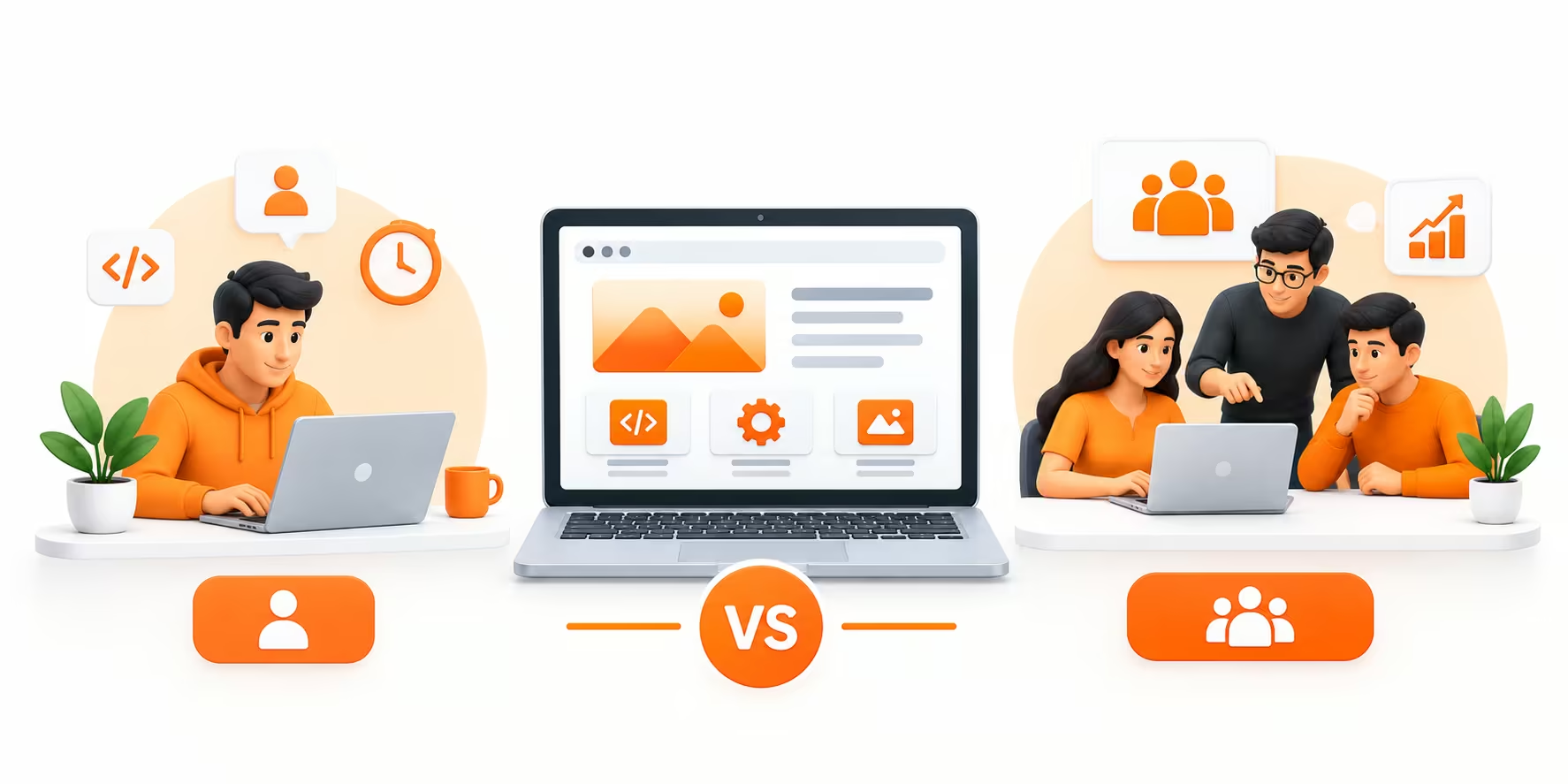
The right website development model depends on your budget, project complexity, and growth plans. Here’s a quick comparison:
| Development Model | Approx. Cost Range | Best For | Watch Out For |
| Freelancer | ₹500 – ₹4,000+ per hour | Small businesses, portfolios, basic websites | Limited resources and support |
| Website Development Agency | ₹50,000 – ₹5,00,000+ | E-commerce, corporate, and growth-focused websites | Higher initial investment |
At Rankon Technologies, we bring together developers, designers, UI/UX specialists, and SEO experts to create responsive, scalable, SEO-friendly websites that support long-term business growth.
How Long Does It Take to Develop a Website?
The time required to develop a website depends on its size, design complexity, functionality, technology stack, and the number of revisions. A simple business website may take a few days, whereas a large eCommerce website or custom web application can require several weeks or even months.
For example, a basic WordPress website with 5–7 pages requires less development time than an eCommerce platform with hundreds of products, payment gateway integration, inventory management, and customer accounts.
To give you a better idea, here’s an estimated timeline for website development for different types of websites in India.
Estimated Website Development Time by Website Type
| Website Type | Estimated Development Time |
|---|---|
| Landing Page | 2–5 Days |
| Basic Business Website | 5–10 Days |
| Small Business Website | 1–2 Weeks |
| Corporate Website | 2–4 Weeks |
| eCommerce Website | 3–8 Weeks |
| Real Estate Website | 3–6 Weeks |
| Healthcare Website | 2–5 Weeks |
| Educational Website | 3–6 Weeks |
| Custom Web Application | 2–6 Months or More |
Note: These are estimated timelines. Actual development time depends on project requirements, content availability, design approvals, integrations, and custom functionality.
Website Development Process and Time Required
Website development involves multiple stages, and each stage contributes to the overall project timeline. Here’s how a typical website development project progresses.
| Development Stage | Activities | Estimated Time |
|---|---|---|
| 1. Requirement Analysis | Understanding business goals, target audience, features, and project scope | 1–2 Days |
| 2. Planning and Sitemap | Creating website structure, navigation, and page hierarchy | 1–2 Days |
| 3. UI/UX Design | Designing layouts, wireframes, and visual elements | 2–5 Days |
| 4. Frontend Development | Building responsive pages and interactive elements | 3–7 Days |
| 5. Backend Development | Setting up CMS, databases, forms, and integrations | 2–7 Days |
| 6. Content Integration | Adding website text, images, videos, and other media | 1–3 Days |
| 7. Testing and Quality Assurance | Checking responsiveness, functionality, speed, and compatibility | 1–3 Days |
| 8. Website Launch | Final deployment, domain configuration, and launch checks | 1 Day |
The timelines above are indicative and may overlap depending on the project. Complex websites may require additional development, testing, and approval cycles.
What Factors Affect Website Development Time?
Several factors can increase or reduce the time required to develop a website. Understanding these factors can help you set realistic expectations and plan your project more effectively.
1. Number of Website Pages
A website with five pages generally takes less time to develop than one with 30 or 50 pages. Every additional page may require layout creation, content integration, responsive adjustments, and testing.
2. Design Complexity
A website built using a ready-made template can be developed relatively quickly. However, a website requiring custom UI/UX design, animations, interactive elements, and unique layouts will need additional design and development time.
3. Website Functionality
Basic websites with contact forms and informational pages are relatively straightforward. Features such as appointment booking, customer dashboards, payment gateways, product filters, and membership systems require additional development and testing.
4. Content and Image Availability
If website content, images, logos, and other brand assets are ready before development begins, the project can move faster. Delays in content approval or missing information can affect the overall delivery timeline.
5. Third-Party Integrations
Integrating CRM platforms, payment gateways, email marketing tools, shipping services, booking systems, and external APIs can increase development time, depending on their complexity and documentation quality.
6. Revisions and Client Approvals
Design revisions, changes in project requirements, and delayed approvals can extend the development timeline. Having a clear project scope and providing timely feedback help avoid unnecessary delays.
How Can You Reduce Website Development Time?
If you want to launch your website quickly without compromising its quality, consider the following practices:
Finalize requirements: Prepare a clear list of website pages, features, and functionalities before development begins.
Choose the right platform: Select WordPress, Shopify, or custom development based on your actual business requirements.
Prepare content in advance: Keep your website copy, images, logo, and other brand assets ready.
Use pre-built components: Templates and reusable design components can reduce development time for standard websites.
Limit unnecessary revisions: Finalize the design direction early and consolidate feedback.
Work with an experienced development team: A structured development process helps manage tasks, testing, and project delivery efficiently.
How Long Does RankON Technologies Take to Develop a Website?
At RankON Technologies, we follow a structured website development process that covers requirement analysis, planning, design, development, testing, and deployment.
Our website development timelines depend on the selected package and project requirements. For example, our website development packages include delivery timelines of approximately 3 days for the Startup Website Package and 7 days for the Small Business Website Package, subject to the agreed scope and timely availability of required content and approvals.
For larger corporate websites, eCommerce platforms, and custom web development projects, we determine the delivery timeline after understanding the required functionality and technical specifications.
If you’re planning to build a new website, explore our Website Development Packages in India or contact our team to discuss your project requirements.
Our recommendation: Don’t choose a website development company based on delivery speed alone. A professionally developed website should be responsive, secure, user-friendly, SEO-friendly, and tested properly before launch. A few additional days spent on quality assurance can save you from costly issues after your website goes live.
How Does Rankon Technologies Approach Website Development?
We don’t believe in one-size-fits-all solutions. Instead, we focus on creating websites that reflect your brand, engage your audience, and support your long-term business goals.
- Research & Strategy: We understand your business, target audience, competitors, and objectives before starting development.
- Custom Design: We create clean, intuitive UI/UX that makes your website easy to navigate and engaging for visitors.
- Responsive Development: We build websites that work smoothly across desktops, tablets, and mobile devices.
- SEO-Friendly Development: We consider SEO from the development stage, focusing on site structure, page speed, mobile usability, and crawlability.
- Testing & Optimization: Before launch, we test functionality, responsiveness, performance, and overall user experience.
- Ongoing Support: We provide website maintenance, updates, and optimization to help your website remain secure, functional, and effective.
Our goal is to build websites that are not only visually appealing but also functional, scalable, SEO-friendly, and aligned with your business objectives.
Final Words: What Should You Actually Budget for Your Website in India?
So, what should you actually budget for a website in 2026? If you need a basic business website, ₹20,000-₹60,000 is a reasonable starting point. For a more professional and customized business website, I would consider a budget of around ₹ 40,000- ₹ 1,50,000.
E-commerce websites may cost ₹60,000-₹3,00,000+, while custom web applications can easily run into several lakhs.
But here’s the important part: Don’t choose a website development company based solely on the cheapest quote. Consider whether the website will provide the design, functionality, performance, security, scalability, and search-friendly foundation your business needs.
Are You Planning a New Website or Want to Replace an Outdated One? Contact Rankon Technologies today!
Our website development services include responsive web design, custom website development, e-commerce development, UI/UX design, SEO-friendly development, website redesign, and website maintenance.
Let’s discuss your requirements, determine the right development approach, and build a website that can support your business well beyond 2026.
FAQs About Website Development Costs in India
How much does website development cost in India in 2026?
A basic business website can cost around ₹20,000- ₹60,000, while a professionally designed website may cost ₹40,000- ₹1,50,000 or more. E-commerce websites and custom web applications can cost several lakhs depending on their features and complexity.
How much does a five-page website cost?
A five-page business website may cost approximately ₹20,000-₹60,000 for a relatively straightforward project. Custom design, advanced functionality, professional content, SEO, and integrations can increase the final cost.
Is WordPress cheaper than custom website development?
In many cases, WordPress can be more cost-effective because it offers a mature CMS and an extensive plugin ecosystem. However, the total price depends on customization, design, plugins, development, security, and maintenance.
Are hosting and maintenance included in website development costs?
Not necessarily. Some website development packages include limited hosting or post-launch support, while others charge separately. I recommend asking for a complete breakdown of one-time and recurring costs before starting the project.